External SSDs are very suitable for storing photos. Compared with traditional hard disk drives (HDDs), external SSDs offer several advantages, including fast read and write speeds, a compact size, easy portability, better resistance to shock, quiet operation, and lower power consumption. These features make them suitable for everyday photo storage, file transfers, and photo editing. However, an SSD is not suitable as the only long-term archive for valuable photos. Data may become less reliable when the drive is left without power for a long time, and the device may also fail unexpectedly. To keep your photos safe, use an external SSD together with other storage devices or cloud storage, and maintain multiple independent backups.
Why External SSDs Are Good for Storing Photos
An external SSD is a portable storage device that uses NAND flash memory. It stores and reads data without relying on mechanical platters or read/write heads. This gives it advantages in transfer speed, portability, and operating stability. For users who need to store large numbers of JPEG, PNG, HEIC, or RAW photos, an external SSD can serve as a dedicated photo storage device. It can also connect directly to a computer for viewing, editing, and backing up photos.
Fast Read and Write Speeds Improve Photo Transfer Efficiency
Read and write speed is one of the most noticeable advantages of an external SSD. Traditional HDDs use rotating platters and mechanical read/write heads to access data. SSDs use flash memory chips and a controller instead, so they do not have to wait for mechanical parts to move. As a result, they usually offer faster read and write speeds. Mainstream portable NVMe external SSDs can reach sequential read speeds of several thousand MB/s, and their random read performance is much higher than that of traditional portable HDDs. If you mainly store standard photos, an external SSD with read speeds of around 500MB/s to 1,000MB/s is usually sufficient. If you often work with large RAW files and 4K video, you may want to consider a higher-performance model.
Compact and Easy to Carry
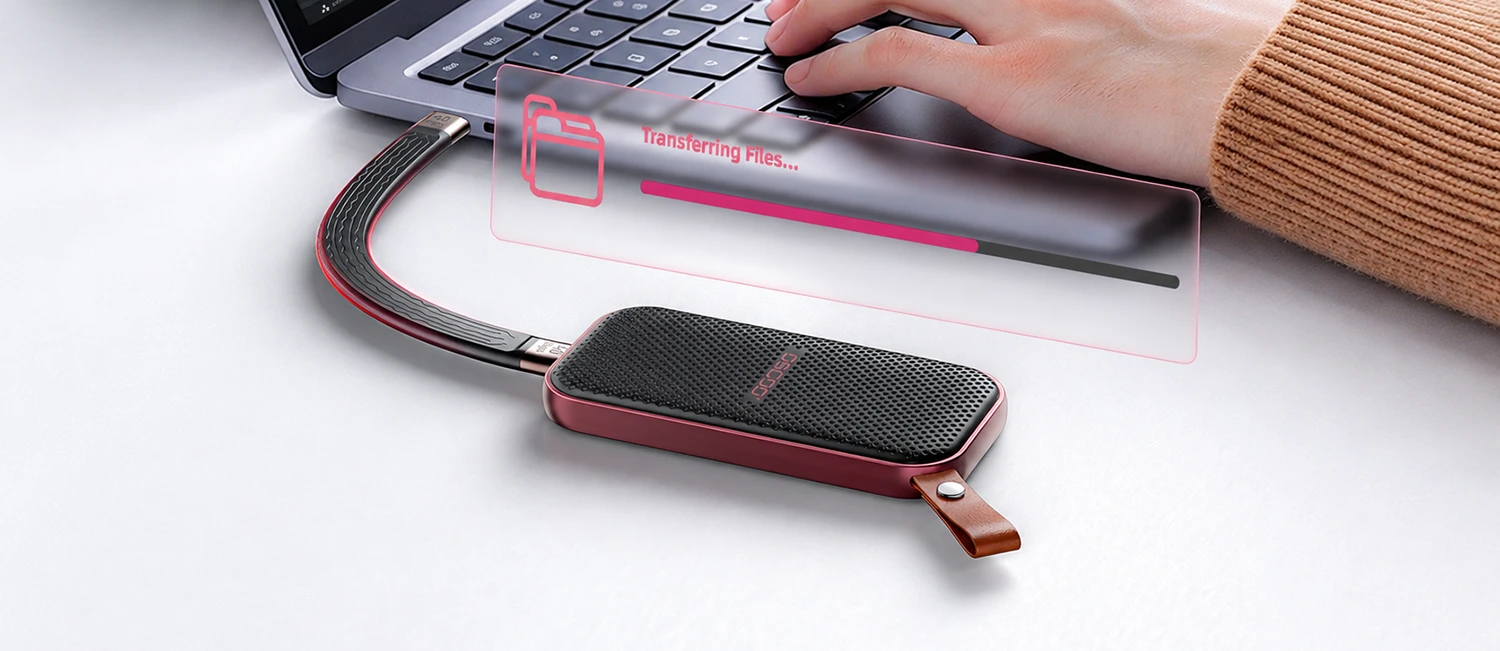
External SSDs usually have a compact design and are lightweight, so they fit easily in a pocket, backpack, or camera bag. Compared with traditional external HDDs, portable SSDs are better suited to people who work on the move, travel for photography, or shoot outdoors. For example, while traveling, you can back up each day’s photos directly to an external SSD instead of constantly using your laptop’s internal storage. When you return home, you can copy the photos to another hard drive or cloud storage to create an additional backup. External SSDs usually connect to devices through USB-C or USB-A ports. Some models can also connect directly to compatible phones and tablets, making it easier to manage photos across different devices.
Better Resistance to Shock and Vibration
External SSDs do not have mechanical platters or read/write heads. Under normal conditions, they can therefore withstand vibration and movement better than traditional HDDs. An HDD contains fast-spinning platters and precision read/write heads. If the drive receives a strong impact while operating, its heads or platters may be damaged, which can lead to data loss. SSDs do not have these mechanical parts, so they are more suitable for carrying in a backpack or camera bag and for mobile situations such as travel and outdoor photography.
However, better shock resistance does not mean that an SSD cannot suffer physical damage. A strong impact, a drop, or damage to the connector or circuit board can also stop an SSD from working properly. You should therefore keep other backups of important photos.
Quiet Operation with No Mechanical Noise
External SSDs have no rotating platters or mechanical read/write parts, so they produce almost no mechanical noise during normal operation. Traditional HDDs, by comparison, may produce the sound of spinning platters and moving read/write heads. These sounds are usually quiet, but they may still be noticeable in a quiet office or recording environment. For users who keep a drive connected to a computer for long periods, frequently browse photos, or edit photos, the quiet operation of an SSD is another practical advantage.
Lower Power Consumption for Mobile Devices
External SSDs usually consume less power than comparable external HDDs, especially because they do not need to keep mechanical platters spinning. This makes them more suitable for connecting to laptops, tablets, and some phones that support external storage. For people who often shoot outdoors or work on the move, lower power consumption can reduce the extra drain on the host device’s battery.
Actual power consumption depends on the SSD controller, interface, data transfer workload, and product design. High-speed SSDs may also generate more heat during sustained read and write operations, and power consumption can vary noticeably between models.
What Are the Disadvantages of External SSDs?
Although external SSDs have clear advantages in speed and portability, there are also some issues to consider. These limitations are especially important for users who want to keep photos for years or even decades.
Data Risks When Stored Without Power for Long Periods
External SSDs use NAND flash memory to store data. Flash memory cells record information through electrical charge, but this charge is not permanently stable. It can change over time and affect data readability. When an SSD remains without power for a long time, it cannot perform the background data maintenance and some error-correction tasks that take place during normal operation. Long-term storage without power may therefore increase the risk of read errors. For this reason, you should not copy photos to an external SSD and then leave it in a drawer for a long time without powering it on and checking it. Keep other backups of important photos and regularly check that the files can still be read.
SSDs Can Also Fail Unexpectedly
SSDs have no moving mechanical parts, but that does not mean they cannot fail. An external SSD mainly consists of NAND flash memory chips, a controller chip, cache or related management circuits, an interface, and firmware. A problem with any key component may affect access to the data. One point to note is that if the SSD controller suffers a serious failure, the data may still be present on the flash memory chips but may no longer be readable through ordinary devices. Recovering the data may then require professional equipment and expertise, and recovery is not guaranteed to succeed.
Higher Purchase Cost
Compared with traditional HDDs of the same capacity, external SSDs usually cost more per unit of storage. If you only need to store a small number of photos, buying a 1TB or 2TB SSD is usually affordable enough. However, professional photographers who need to store several terabytes or even tens of terabytes of photo and video material may face much higher costs if they use SSDs for everything. If your main goal is to store a large number of photos for the long term rather than access and edit them frequently, consider using a higher-capacity external HDD with a lower cost per unit of storage as an additional backup device.
Limited Flash Memory Write Endurance
SSDs use NAND flash memory to store data, and flash memory cells have a limited number of program and erase cycles. As write and erase operations accumulate, the cells gradually wear out. To help consumers understand an SSD’s write endurance, manufacturers usually provide a TBW (Terabytes Written) rating, which indicates the total amount of data that can be written over the drive’s rated life.
For users who mainly store photos, importing, browsing, and reading photos normally do not place significant write stress on the drive. Write endurance is a greater concern in demanding use cases that involve frequent writing, deleting, and repeatedly overwriting large files. You can check an SSD’s TBW rating when buying one, but there is no need to pursue an extremely high write-endurance rating just to store ordinary photos.
How Many Years Can Photos Be Stored on an External SSD?
There is no single answer that applies to every product when it comes to how many years an external SSD can store photos. This is because an SSD’s normal service life and its data-retention time without power are two different things. Normal service life refers to how long an SSD can continue operating while powered on and used under normal read/write and maintenance conditions. Unpowered data-retention time refers to how long an SSD can reliably keep the data already written to it when it is not connected to a power source.
These two concepts should not be confused. An SSD may work for many years under normal operating conditions, but that does not mean it can store photos for years while completely unpowered without being checked. For everyday users, the following steps can help improve the long-term safety of stored photos:
- Do not keep the only copy of your photos on an SSD that remains unpowered for a long time.
- Connect the SSD regularly and check whether the device is recognized and the files can be read.
- Run integrity checks on important photos to detect file corruption promptly.
- Avoid keeping the SSD for long periods in places that are hot, humid, or likely to expose it to impacts.
- If the SSD behaves abnormally, produces read errors, or shows a health warning, move the data to another device promptly.
- If you need to keep photos for ten years or longer, it is more sensible to create multiple independent backups than to expect a single SSD to preserve data forever.
What Should You Consider When Buying an External SSD?
Storage Capacity
Storage capacity determines how many photos and other files an SSD can hold. When choosing a capacity, consider not only the number of photos you have now but also the photos, RAW files, and video footage you may add over the next few years. File sizes vary significantly by format. A standard JPEG photo from a phone may be only a few MB, while a RAW file from a high-resolution camera may be tens of MB or even larger.
Connection Interface
The connection interface of an external SSD affects its maximum possible data transfer speed. Common interfaces include USB 3.2 Gen 1, USB 3.2 Gen 2, USB 3.2 Gen 2×2, USB4, and Thunderbolt. Note that an interface’s theoretical speed is not the same as the actual file transfer speed. The SSD, computer, cable, and connected device must all support the relevant transfer standard to deliver the corresponding performance. For standard photo storage and everyday backups, USB 3.2 Gen 2 with support for 10Gbps is usually sufficient. There is no need to pay extra for a faster interface.
Read and Write Speeds
Read speed and write speed determine how efficiently an SSD reads files from a device and writes files to it. If you often import photos to the SSD, pay particular attention to sustained write speed. If you often browse photos directly from the SSD or edit them with software such as Lightroom, read speed is also important. For users whose main purpose is photo storage, choosing a product with stable performance and a compatible interface is usually more important than simply pursuing the highest advertised speed.
Brand and Product Reliability
The SSD brand and product quality can affect performance, firmware stability, after-sales service, and the long-term user experience. When choosing a product, give priority to manufacturers with an established range of storage products, and check the specifications of the exact model on the manufacturer’s official website. Do not judge reliability by brand recognition alone. Even within a well-known brand, models may differ in performance, flash memory type, and reliability.
Protection
If you often carry your SSD with you when shooting outdoors, consider products designed to resist shock, dust, and water. Some portable SSDs use rubber protective covers or reinforced bodies to reduce the risk of damage from accidental drops and everyday impacts. When buying, check whether the product has a clearly stated IP rating. A standard enclosure is usually sufficient if the SSD will mainly be used at home or in an office. If you often shoot outdoors, travel, or work on the move, consider a model with additional protective features.
Warranty Period
Check the product’s warranty period and conditions. Some products have a fixed warranty period, while others also set a limit on the total amount of data written. Refer to the manufacturer’s warranty policy for details. If your main use is storing and viewing photos, you generally do not need to worry too much about write endurance. A product with a clear warranty policy and a reasonable endurance rating should be sufficient.
File System Compatibility
A file system determines how an operating system organizes, reads, and manages files on an SSD. Different file systems vary in compatibility and features. After buying an SSD, you may need to format it according to the devices you plan to use. If you need to share photos between Windows and Mac, exFAT is usually a convenient choice. If you will use the drive only with Windows computers, consider NTFS. If you mainly use a Mac and do not need to share the drive directly with Windows devices, consider APFS. Note that some cameras, phones, TVs, and other external devices may not support every file system.
How Can You Store Photos More Safely?
Choosing the right SSD is only one part of photo storage management. For truly important photos, your backup strategy matters more than relying on a single type of storage device. A common approach is to follow the 3-2-1 backup rule:
- Keep 3 copies of your data, including the original files and two backups.
- Store the data on 2 different types of storage media.
- Keep at least 1 backup copy off-site.
An external SSD is one of the ideal options for storing photos. It is especially suitable for users who need fast transfers, frequently browse or edit photos, and often carry their storage devices with them. Its main advantages include fast read and write speeds, good portability, better resistance to shock, quiet operation, and relatively low power consumption. However, it also has limitations, including the risk of data loss during long periods without power, unexpected device failure, higher purchase costs, and limited flash memory write endurance. Most importantly, do not keep valuable photos only on a single external SSD. Combine an SSD with an HDD or cloud storage, and check your backup data regularly. This will help reduce the risk of losing your photos.