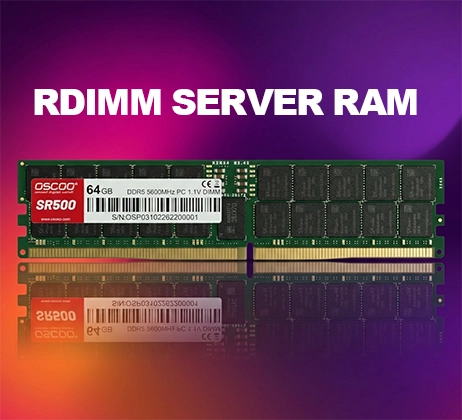
While not the ideal configuration, pairing a 16GB and an 8GB RAM module is generally feasible. Most modern motherboards support this capacity combination, resulting in a total system memory of 24GB. In this setup, 16GB operates in dual-channel mode, while the remaining 8GB runs in single-channel mode – a mechanism known as asymmetric dual-channel or flex mode. As long as basic requirements such as matching generations and compatible frequencies are met, you should not encounter significant stability issues in everyday use.
How Asymmetric Dual-Channel Works
When modules of different capacities are installed, the memory controller does not simply downgrade the entire system to single-channel operation. Instead, it employs an intelligent allocation scheme called flex mode. In the case of a 16GB + 8GB combination, the controller logically splits the 16GB module into two 8GB regions. One of these regions pairs with the standalone 8GB module to form a 16GB dual‑channel space, while the remaining 8GB region operates alone in single‑channel mode.
This arrangement means the system prioritises the dual‑channel region. When total memory usage stays below 16GB, the vast majority of data reads and writes occur within the dual‑channel space, delivering bandwidth identical to a standard symmetric dual‑channel setup. Only when memory demand exceeds 16GB does the excess data spill into the single‑channel region, where bandwidth drops to half that of dual‑channel. Data already residing in the dual‑channel area retains its full dual‑channel performance.

Essential Prerequisites for Mixing
Successful operation of mismatched capacities rests on several hard requirements. Failure to meet any one of them may result in failure to boot or unstable behaviour.
Generation must be identical. DDR4 and DDR5 differ completely in physical pinouts, connector layouts, and voltage specifications – they cannot be interchanged. Even within the same generation, desktop DIMMs and laptop SO‑DIMMs are physically incompatible, so always verify the form factor required by your system.
Frequency should be matched. When modules have different rated frequencies, the system forces both to run at the lower speed, negating any advantage from the faster module. For example, mixing 3200 MHz with 2666 MHz results in an overall speed of 2666 MHz, incurring a bandwidth loss of roughly 17%.
Voltage must be consistent. Standard DDR4 operates at 1.2V, while some overclocking modules use 1.35V. Voltage mismatches pose hardware risks.
Slot placement directly affects whether dual‑channel mode is activated. Motherboard slots are typically divided into two channels; to enable dual‑channel operation, you must insert the two modules into corresponding slots of the same colour. Most boards recommend the second and fourth slots counting from the CPU side, but always consult your motherboard manual for precise guidance.
Performance Impact Across Different Scenarios
The trade‑off between capacity and bandwidth yields markedly different results depending on the use case.
Everyday office work and light usage: The total capacity gain of 24GB far outweighs any bandwidth asymmetry. Applications like web browsing with multiple tabs, document editing, and media playback are not bandwidth‑sensitive. The extra capacity reduces background swapping and delivers smoother multitasking – users are unlikely to perceive any difference between single‑ and dual‑channel behaviour.
Gaming: The effect is more noticeable. Average frame rates typically drop by only 3–5%, which is barely perceptible in most titles. However, minimum frame rates (1% lows) are more significantly affected, often falling by 10–20%, manifesting as occasional stutters during gameplay. Competitive esports titles that are sensitive to memory bandwidth show a larger impact, whereas at 2K and higher resolutions, the GPU becomes the primary bottleneck, diluting the influence of memory bandwidth.
Productivity workloads: This scenario prioritises capacity over bandwidth. In video editing, 3D rendering, large‑scale code compilation, and similar tasks, insufficient memory that triggers swapping can cause performance degradation by an order of magnitude. In comparison, the bandwidth reduction in the single‑channel region is almost negligible. As long as total memory usage stays within 16GB, performance is identical to standard dual‑channel; only the portion exceeding that threshold experiences reduced bandwidth.
Potential Stability Risks
Capacity mismatch is not the only variable. Differences in brand, memory chips, and timings can also introduce stability issues. Modules from different brands often use different DRAM chips and timing parameters. When mixed, the motherboard must negotiate a conservative set of parameters that both modules can tolerate. Timings are automatically relaxed to the slower of the two, leading to a slight increase in latency. In rare cases, significant differences in chip quality may prevent the system from running stably, resulting in blue screens, random reboots, or application crashes. Industry hardware community statistics suggest that the probability of stability problems in mixed‑module scenarios ranges from 5% to 15%.
Additionally, XMP or EXPO profiles – vendor‑preset overclocking parameters typically optimised for matched kits – may be rejected by the motherboard when modules are mixed. In such cases, memory will revert to conservative JEDEC standard speeds, further reducing performance.
If you encounter stability issues, first try disabling XMP overclocking to run at standard frequencies. Second, update your motherboard BIOS. Newer firmware revisions often improve memory compatibility. If problems persist, the modules are likely incompatible, and you should consider replacing them with a matched pair.
Recommendations Based on Upgrade Scenarios
Whether to adopt a 16GB + 8GB configuration depends on your specific needs.
For users who already own a single 8GB module and seek a cost‑effective capacity upgrade, adding a 16GB module is a pragmatic choice. The resulting 24GB total is ample for most everyday applications and mainstream gaming, with a low upfront cost and clear benefits. In this situation, sacrificing the existing module for the sake of symmetric dual‑channel is unnecessary – the capacity gains deliver more tangible value.
For a new build, there is no reason to choose an asymmetric configuration. Purchasing two modules of identical capacity and model from a matched kit is the optimal approach, guaranteeing full dual‑channel bandwidth, best‑in‑class stability, and maximum overclocking headroom – with usually only a modest price difference.
If your budget allows, the ideal upgrade path is to sell your existing 8GB module and replace it with a matched pair of 16GB modules. A 32GB symmetric dual‑channel setup offers no compromises in either capacity or bandwidth, making it the preferred choice for gamers and content creators, while also providing headroom for future software demands.