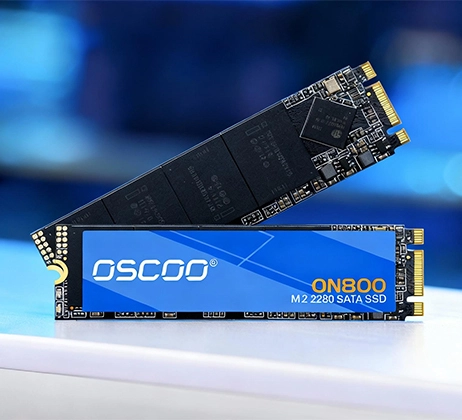
SLC cache stands for Single-Level Cell Cache and is also commonly called pseudo-SLC cache or simulated SLC cache. It is not an independent hardware cache chip on the SSD circuit board. Instead, it is a software optimization implemented by the controller firmware. Simply put, part of the storage space in high-density NAND flash such as TLC and QLC is temporarily switched to a one-bit-per-cell storage mode to simulate the high-speed write capability of native SLC flash.
This technology was developed in response to the trade-off between capacity and performance in the flash memory industry. As the number of bits stored in each cell increases, the cost per unit of capacity continues to fall, but native write speed and endurance also decrease. By “temporarily simulating” SLC, SLC cache allows high-density flash to deliver burst performance close to that of high-end SLC flash without adding hardware cost. It has therefore become a key solution for balancing cost and user experience. Currently, SLC cache has become a standard feature across the industry, from entry-level QLC SSDs to high-end enterprise products.
How SLC Cache Works
To understand how SLC cache works, we first need to understand the basic characteristics of NAND flash. NAND flash performance is directly related to the number of data bits stored in each memory cell: the fewer charge states a cell has, the simpler the write process is, and the faster the speed.
- Native SLC flash stores 1 bit of data in each cell and has only two charge states. Its write logic is the simplest, so it offers the highest speed and longest lifespan, but it has the lowest storage density and the highest price.
- TLC flash stores 3 bits of data in each cell and has 8 charge states. Its storage density is three times that of SLC, but its write speed and endurance are significantly lower.
- QLC flash stores 4 bits of data in each cell and has 16 charge states. It offers even higher storage density, but its native write performance is lower still.
The core logic of SLC cache can be summarized as “accept data at high speed first, then move it at lower speed.” The entire process is automatically managed by the SSD controller, so users do not notice it. When the host sends a write request to the SSD, the data is first written to the cache area configured to operate in SLC mode. Because write latency is extremely low in one-bit mode, this stage is very fast, which is why users see the advertised high write speed. When the SSD is idle, or when the remaining SLC cache space reaches a preset threshold, the controller moves the data in the cache to the normal TLC or QLC format in the background and transfers it to the main storage area. This frees cache space for later writes. Read operations also benefit: if the requested data is still temporarily stored in the SLC cache, it can be read at a higher speed.
Three Types of SLC Cache Implementation
Static SLC Cache
Static SLC cache is the earliest implementation method. During manufacturing, the firmware permanently reserves a fixed portion of flash space as the SLC cache. Its capacity does not change with the amount of free space on the drive. The advantage of this approach is stable and predictable performance, and its management algorithm is simple and reliable. It is therefore widely used in applications such as industrial control and embedded devices where stability is highly important. However, it also has clear disadvantages. The fixed partition permanently occupies storage space and is usually relatively small, generally only a few GB to several dozen GB. It can therefore be exhausted quickly during sustained large-file writes. In addition, because the fixed area is subjected to frequent writes over a long period, it may experience more wear than other areas.
Dynamic SLC Cache
Dynamic SLC cache is the mainstream solution for current consumer SSDs. It does not reserve a fixed partition in advance. Instead, it dynamically adjusts the cache size according to the amount of free space on the drive. When the drive is empty, the cache can be at its largest. As drive usage increases, the cache gradually becomes smaller.
The biggest advantage of dynamic cache is high space efficiency. A large-capacity SSD can have hundreds of GB of cache space when empty, providing an excellent burst-write experience. However, performance consistency is poorer. When free space becomes limited, cache capacity can shrink sharply and write performance can fluctuate significantly. This approach places higher demands on the controller algorithms and flash quality. Poor scheduling can easily lead to frequent cache reclamation and performance fluctuations.
Hybrid SLC Cache
Hybrid SLC cache combines the advantages of the first two approaches and is the mainstream choice for mid-range and high-end SSDs. It keeps a small fixed SLC area as a basic performance guarantee, ensuring that some cache remains available even when the drive is full. At the same time, when enough free space is available, it dynamically expands the cache to provide additional capacity, balancing peak performance and stability.
Some of the latest QLC SSDs have evolved further by adding a TLC intermediate layer. Data is first written in SLC mode. When the SLC space is exhausted, writing switches to TLC mode, and the data is finally moved to the QLC main storage area during idle periods. This multi-level cache architecture further smooths the performance gap and makes the everyday experience of QLC products closer to that of TLC products.
The Core Value of SLC Cache
SLC cache has become a standard industry feature because it improves the real-world SSD experience in several ways while adding almost no hardware cost.
Greatly Improves Burst-Write Performance
In everyday use, most write operations are small and short bursts, such as system startup, software loading, saving documents, and copying small files. In these scenarios, the amount of data usually does not exceed the capacity of the SLC cache, so users enjoy a high-speed write experience close to that of native SLC throughout the operation. It can be said that SLC cache is a key reason why TLC and QLC SSDs can provide a high-end user experience.
Reduces Write Latency and Improves Responsiveness
The programming latency of SLC mode is much lower than that of TLC and QLC modes, which is especially noticeable in random-write scenarios. A large number of 4K random writes during everyday system operations are handled through the SLC cache, significantly improving response speed. This translates directly into a smoother system, faster software startup, and more responsive file operations. This optimization is even more important for entry-level SSDs without dedicated DRAM cache.
Indirectly Extends Flash Memory Lifespan
Flash memory cells in SLC mode have much higher program/erase endurance than those in TLC and QLC modes. Frequent small-data writes can first be aggregated in the SLC cache and then written to the main storage area in larger groups, reducing the number of direct program/erase operations in the TLC or QLC areas and lowering overall wear. Although background data migration causes some write amplification, the overall effect is still positive for lifespan.
Supports New Scenarios Such as AI PCs
As AI PCs become more common, SSDs are shifting from being simple data storage devices toward a “quasi-memory” role, requiring frequent data exchange with memory for model parameters. The high-speed read and write capability of the SLC cache can significantly reduce large language model loading times. According to Micron’s test data, placing an AI model in the SLC area for loading can reduce model loading time by up to about 30% to 44%. This is also encouraging manufacturers to continue optimizing SLC cache scheduling algorithms.
Limitations of SLC Cache
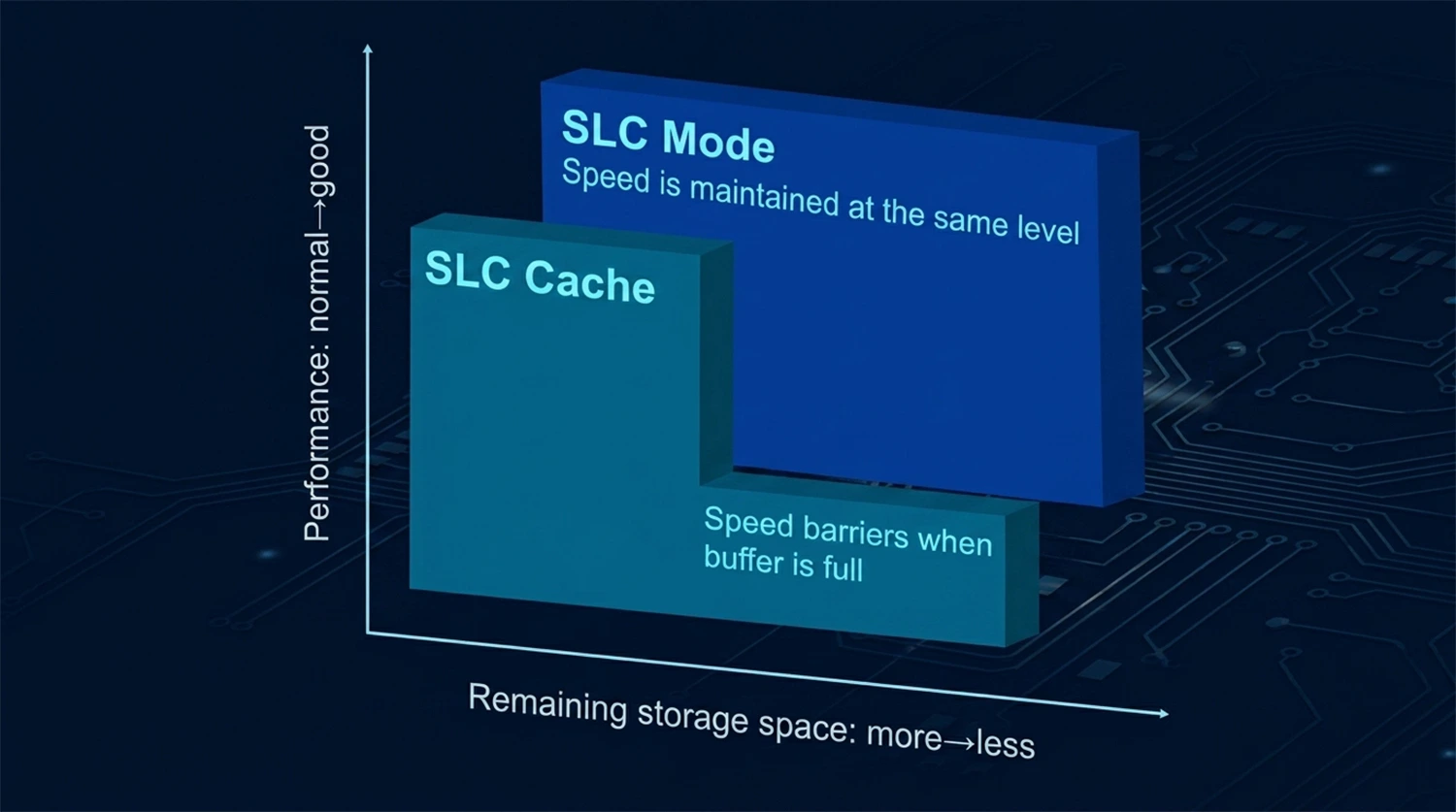
SLC cache is not a universal solution. Its best-known characteristic is the sharp performance drop after the cache is exhausted, commonly called a “speed drop. When sustained large-file writes exceed the total capacity of the SLC cache, the SSD can no longer accept new data in SLC mode. Write speed then drops directly to the native write level of TLC or QLC. A TLC SSD typically falls from several thousand MB/s to several hundred MB/s, although the exact numbers vary greatly depending on the controller design and flash chips. QLC SSDs can experience an even larger drop, and the out-of-cache write speed of some low-end models can even be lower than that of traditional hard disk drives. This cliff-like performance drop is also called a “performance cliff.”
The effect is more obvious on SSDs that use dynamic cache when free space is limited. Once drive usage exceeds 80%, the available dynamic cache space can shrink sharply. At that point, even a medium-sized file write may exhaust the cache and cause a speed drop. This is one important reason why many users feel that an SSD becomes slower as it gets more heavily used.
In addition, background data migration creates extra write operations and increases write amplification to some extent. Under sustained heavy write loads, if background migration cannot keep up with foreground writes, controller utilization may become too high and response latency may increase.
SLC Cache vs. Native SLC Flash
Many users confuse SLC cache with native SLC flash, but they are fundamentally different, with huge differences in cost and performance.
At the physical level, SLC cache uses ordinary TLC or QLC flash chips and only temporarily changes their operating mode through firmware. Native SLC flash, by contrast, is physically designed to support only one bit per cell and consists of dedicated high-performance flash memory.
The differences in cost and capacity are especially significant. SLC cache adds no hardware cost and requires no additional PCB space. Native SLC flash costs several times as much per unit of capacity as TLC, making it extremely expensive at the same capacity.
Sustained performance is the most important difference. SLC cache provides high-speed performance only within the cache capacity; once the cache is exhausted, a speed drop is inevitable. Native SLC flash can maintain high write speed throughout the entire operation and has no performance cliff. In terms of endurance, simulated SLC mode is more durable than native TLC, but it is still less durable than physical SLC flash.
Today, native SLC flash is mainly used in industrial control, military applications, and high-load enterprise environments that have extremely demanding requirements for reliability and write endurance. SLC cache technology, by contrast, is a general optimization solution for consumer and mainstream enterprise SSDs.
Technology Trends
As flash memory moves toward higher density, SLC cache technology is also continuing to evolve. The main directions of development today are intelligent scheduling and multi-level cache architectures.
In terms of scheduling algorithms, dynamic SLC cache management based on reinforcement learning is becoming a research focus. By monitoring I/O workload patterns and the internal state of the SSD in real time, algorithms can automatically adjust cache capacity and the thresholds for separating hot and cold data, achieving better performance under different workloads. Compared with traditional scheduling methods that use fixed parameters, intelligent algorithms can better handle complex and changing real-world usage scenarios.
In terms of architecture, multi-level caching is becoming a mainstream direction in the QLC era. The three-level SLC-TLC-QLC cache architecture is gradually becoming more common. By using an intermediate layer to smooth the performance gap, it brings the sustained-write experience of QLC SSDs closer to that of TLC products. Some enterprise solutions even allow users to customize the proportion of the SLC area, flexibly balancing performance and capacity according to business needs.
SLC cache is a clever balance between cost and performance found by the flash memory industry. Through a software-only approach, it allows high-density flash to provide an excellent everyday user experience, making it a highly representative optimization strategy in the development of SSD technology. For ordinary users, there is no need to pursue an extremely large SLC cache capacity. Simply choose according to the typical file sizes and usage habits involved in your own workload.