Facing large modern games that often exceed 100GB, the built-in storage of the PS5 console can feel insufficient. Its actual usable space is only about 667GB, which often runs low after installing just a few major titles. Fortunately, Sony offers a perfect solution—expanding storage by adding a compatible M.2 SSD. This not only completely solves your capacity worries, allowing you to easily store dozens of games, but also ensures all games run directly from the high-speed SSD, providing lightning-fast loading experiences identical to the internal storage. This upgrade is simple and efficient. This guide will help you understand step-by-step how to choose and install the most suitable SSD for your PS5.
What are the official requirements for a PS5 SSD?
When selecting an SSD for your PS5, you must first meet the following series of official mandatory requirements. These are the foundation for ensuring the SSD can be recognized, function normally, and deliver the expected performance.
- Interface and Protocol: The SSD must use the M.2 interface and support the NVMe protocol and PCIe 4.0 standard. Older SATA interface or PCIe 3.0 SSDs cannot achieve the high-speed performance required by the PS5.
- Physical Size: The PS5’s expansion slot is designed with some flexibility; its screw position is adjustable, thus supporting M.2 SSDs of various lengths. Common specifications like 2230, 2242, 2260, 2280, and even 22110 can be installed. However, the most mainstream and widely recommended size is still 2280, as the vast majority of PCIe 4.0 SSDs designed for the consumer market are this size, offering the most choices and the best value.
- Read Speed: The sequential read speed must be 5500 MB/s or higher. This is a hard threshold set by Sony. Choosing a model with a speed higher than this can provide a better experience.
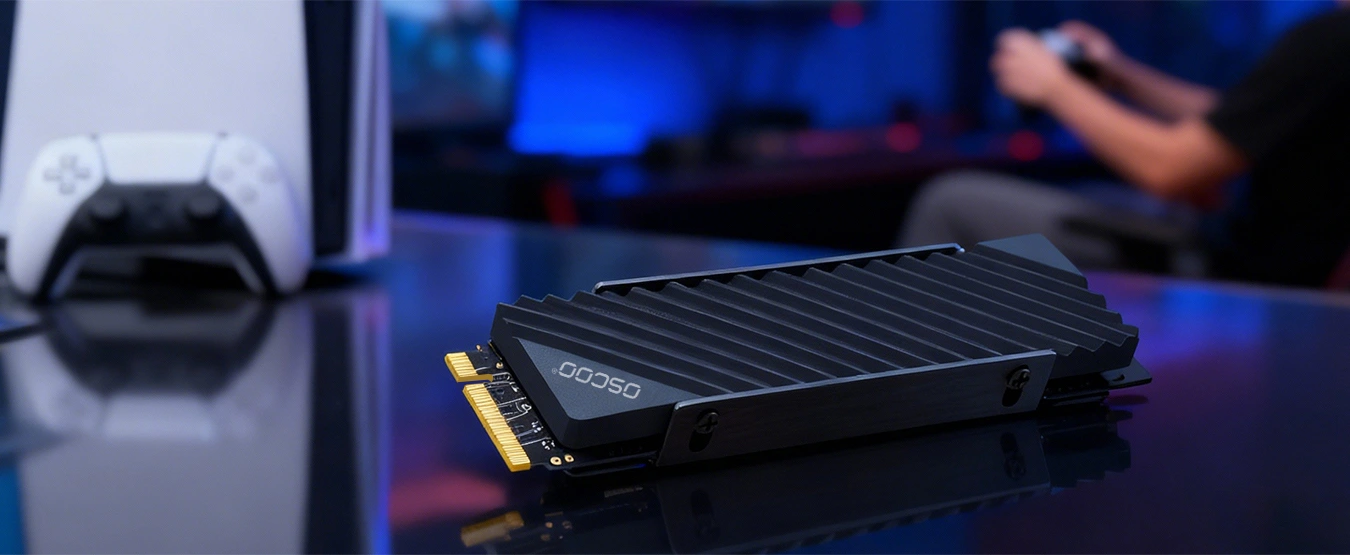
- Heatsink: The SSD must be equipped with an efficient heatsink. Due to the compact internal space of the PS5 expansion slot and the significant heat generated by the SSD during high-speed operation, effective cooling is crucial for long-term stable performance.
- Supported Capacity: The PS5 currently supports SSDs with capacities from 250GB to 8TB. However, considering actual game sizes, 250GB or 500GB capacities are of low practicality. It is recommended that players start with at least 1TB capacity.
Please note: only SSDs that meet all the above conditions simultaneously can guarantee full compatibility with your PS5.
How to choose an SSD after meeting the official standards?
When an SSD meets the PS5’s hard requirements, it means it has obtained the entry ticket. But to make the final choice among many qualified products, we need to consider deeper factors. While these factors won’t affect the basic use of the SSD, they directly relate to your user experience, budget, and long-term stability.

Capacity Selection: Balancing Needs and Budget
1TB capacity is currently the most cost-effective starting point. It can easily hold 3-5 mainstream large games and is suitable for most players. If you want to build a larger game library and reduce the hassle of frequently managing storage space, then 2TB capacity is a more comfortable choice, often considered the current “sweet spot.” For budget-rich game collectors, 4TB provides a nearly worry-free storage experience. While 8TB capacity is officially supported, products at this capacity are still very expensive and relatively scarce on the market, making them unnecessary for the vast majority of players.
Cooling Solution: Ensuring Stable Operation
The PS5’s expansion slot space is extremely limited. If the heat generated by the high-speed SSD cannot be dissipated promptly, it can lead to performance drops or even reduce the SSD’s lifespan. Therefore, it is strongly recommended to directly buy a model that comes with a factory-installed heatsink. These officially paired heatsinks are usually carefully designed to ensure perfect compatibility with the PS5’s internal structure. If you choose to install a heatsink yourself, you must pay attention to the overall size limits: the height of the heatsink (total thickness including the SSD board) must not exceed 11.25 mm, the width must not exceed 25 mm, and the length after installation should not exceed 110 mm. Otherwise, you will not be able to successfully close the expansion slot cover.
Cache and NAND Type: Key to Sustained Performance
SSDs with independent DRAM cache handle large amounts of scattered data more stably, especially maintaining high read/write efficiency after long-term use. At the same time, it is recommended to prioritize products using TLC NAND flash memory. Compared to QLC NAND, TLC offers a longer lifespan and more stable write performance, better handling frequent game reads and updates. While QLC-based SSDs might be more attractive in price, TLC is a more reliable choice for long-term use as a system drive.
Brand and Warranty: Buying Peace of Min
Choosing well-known brands like Oscoo, Western Digital, Seagate, or Samsung means the products have undergone broader compatibility testing and can receive reliable firmware update support. Also, it is advisable to choose products offering at least a three-year warranty. This usually indicates the manufacturer’s confidence in their product quality and provides long-term protection for your investment.
Price: The Final Step in Weighing Value for Money
It is recommended to make a decision based on your budget after meeting the speed, cooling, and capacity requirements. Typically, you can look at the price per GB to measure cost-effectiveness, but do not sacrifice key configurations like cooling just to pursue a lower price. When purchasing on e-commerce platforms, you can pay attention to historical price trends. Buying during promotional periods often gives you a better price.
Recommendations for Different Types of Gamers
After understanding the technical parameters, one should know that different player groups have different priorities when it comes to SSD needs. Identifying your main game types can help you make a more precise and cost-effective decision.
Players Focused on Large AAA Titles
If you mainly play visually stunning, large-volume AAA games like Cyberpunk 2077, Red Dead Redemption 2, or The Last of Us, your SSD requirements will focus on capacity and sustained performance. These games typically take up 80GB to 150GB or more of storage space. Therefore, capacity should be your primary consideration. We strongly recommend that such players allocate their budget towards choosing a 2TB or 4TB model. This ensures you can install a rich library of AAA games simultaneously, avoiding the hassle of repeatedly deleting and downloading. At the same time, choosing a high-performance SSD with an independent cache and TLC NAND guarantees stable and smooth performance during long gaming sessions and complex scene loading.
Players Who Prefer Indie Games or Mix Genres
If your game library consists mainly of smaller-capacity indie games, pixel-art games, or online service games, or if you frequently switch between different game types, a 1TB SSD might be sufficient for your basic needs. This group can balance their budget more flexibly, potentially allocating saved funds to other qualities of the SSD. For example, you could choose a 1TB capacity product from a brand with a better reputation and a longer warranty policy. Although capacity demand is not high, good cooling and reliable NAND type are still important, as they ensure the SSD’s long-term durability—after all, the value of game saves and digital assets far exceeds the hardware itself.
Hardcore and Competitive Gamers Seeking the Ultimate Experience
For players who pursue the shortest loading times, are passionate about online competitive games (like Call of Dutyor Apex Legends), or want to experience all new releases as soon as possible, every bit of SSD performance gain is worth attention. Such players should, on the basis of meeting all basic requirements, prioritize flagship models with sequential read speeds significantly higher than the 5500 MB/s standard. Simultaneously, a 2TB capacity is an ideal starting point, as it can hold multiple large games while avoiding potential performance degradation that can occur when a drive is nearly full. Top-tier models usually come equipped with efficient cooling solutions and independent caches, providing extra assurance for high-intensity use. Although the budget investment is higher, the return is极致 responsiveness and a worry-free user experience.
In summary, there is no single “best” SSD, only the SSD that is “most suitable for you.” Clarifying your gaming style will help you identify the most critical decision points among complex parameters and make a smart choice.
How to Install an SSD in Your PS5
Installing an SSD in the PS5 is a relatively simple process. By following the steps, most users can complete it independently within 15 minutes. The entire process can be clearly divided into three stages: preparation, physical installation, and system formatting.
- Preparation. Before starting, ensure you have the following items ready: a Phillips-head screwdriver, and a well-lit, spacious work surface. The most critical step is to update your PS5 console’s system software to the latest version beforehand, as older system versions might not recognize the new SSD. After updating, completely turn off your PS5, unplug the power cord and all connected peripherals, and move the console to your work surface.
- Physical Installation Steps. First, place the PS5 face down securely, with the side featuring the PS logo facing down. Hold the upper part of the console with one hand, and with the other hand, gently lift up a corner of the bottom-right cover plate to remove the entire white side panel. You will see the exposed internal structure of the console. Locate the expansion slot cover. It is on the metal frame and secured by one screw. Use the Phillips-head screwdriver to remove this screw and carefully take off the cover.
Now, you will see the M.2 expansion slot. Use the screwdriver to loosen the fixing screw at the end of the slot, but you do not need to remove it completely. Insert the SSD you purchased into the slot at an angle of about 30 degrees, ensuring the gold connector fingers of the SSD make full contact with the slot.
Then, gently press the other end of the SSD down to make it level, and secure the SSD firmly in place using the fixing screw you just loosened. Do not use excessive force; just tighten the screw until it feels snug. Finally, put the metal cover back in place and tighten its screw, then reattach the white side panel. At this point, the physical installation is complete. - System Formatting. Reconnect all cables to the console and turn it on. After the system starts, the screen will prompt that a new M.2 SSD has been detected and guide you through the formatting process. Be sure to follow the on-screen instructions to complete the formatting; this process only takes a minute or two. After formatting is complete, you can go to the “Storage” option in the console’s settings menu and see that this new SSD has been recognized as an available installation location. You can now download or transfer games directly to this high-speed expanded storage.
FAQ
Q: Can a PCIe 3.0 SSD be used in the PS5?
A: Physically, a PCIe 3.0 SSD can be inserted into the PS5’s slot. However, its speed falls far short of the PS5’s required minimum standard of 5500 MB/s. The system might refuse to recognize it. Even if recognized and formatted as extended storage, its slow loading speeds would severely impact the gaming experience. Therefore, we strongly do not recommend using one.
Q: Does the PS5 require a specific SSD type?
A: Yes, the requirements are very clear. The PS5 does not need a standard SATA SSD or an older PCIe 3.0 SSD. It specifically requires an M.2 NVMe PCIe 4.0 x4 type SSD. This is the core hardware foundation ensuring it can achieve the high-speed loading performance expected for next-gen games.
Q: Are some SSD brands better for the PS5?
A: While all SSDs meeting the official specifications will work, well-known brands like Oscoo, Western Digital, Seagate, Samsung, etc., generally have advantages. This advantage isn’t necessarily a huge gap in absolute performance, but rather in better verified compatibility, more stable firmware support, more efficient cooling designs, and more reliable after-sales service. Choosing these brands means fewer potential hassles.
Q: How to know if M.2 SSD is compatible with PS5?
A: You can quickly check using a simple list:
- Interface/Protocol: The product description must clearly state “PCIe 4.0 NVMe M.2.”
- Read Speed: The sequential read speed in the specifications must be ≥5500 MB/s.
- Heatsink: The product must come with a heatsink, or you must plan to install one that meets the size restrictions.
- Capacity: The capacity must be between 250GB and 8TB.
As long as an SSD meets all four points simultaneously, it is compatible with the PS5.
Q: What is the lifespan of a PS5 SSD?
A: SSD lifespan is typically measured by its “Terabytes Written” (TBW) rating, which indicates the total amount of data allowed to be written during the warranty period. For a qualified TLC NAND SSD, the lifespan is very long. For a 1TB model, the TBW is usually 600TB or more. This means you could write over 100GB of data on average every day for more than ten years. For normal gaming use (primarily reading data, occasionally downloading/updating games), the SSD’s lifespan will far exceed the normal usage cycle of the PS5 console, so there’s no need to worry.
Q: Should games be installed on the console’s internal storage or the expanded SSD?
A: In terms of performance, as long as your expansion SSD meets the official requirements, there is no noticeable difference between the two. You can install games arbitrarily on either storage space and obtain completely identical loading and running experiences. A practical suggestion is to install the large games you play frequently on the expansion SSD, which may offer excellent read/write performance.
Q: Is a heatsink absolutely necessary? Can I try without one?
A: A heatsink is absolutely mandatory. The PS5’s SSD expansion slot is very narrow with poor air circulation. A high-speed SSD generates a lot of heat. Without effective cooling, the SSD will overheat, leading to sharp performance drops, game stuttering, and potentially shortening the SSD’s lifespan. Please ensure your SSD is equipped with a suitable heatsink.
Choosing and installing a suitable SSD for your PS5 is an upgrade with low investment but very high returns. It not only completely solves your storage anxiety but also allows you to seamlessly enjoy vast game worlds. To summarize, the key to success lies in focusing on several core points: PCIe 4.0 protocol, read speed exceeding 5500 MB/s, appropriate physical size, an efficient cooling solution, and a capacity that suits your personal needs.