In the digital age, storage devices are the core foundation supporting various computing scenarios. Solid State Drives (SSDs), with their far superior read/write speeds, lower power consumption, and stronger shock resistance compared to traditional Hard Disk Drives (HDDs), have completely replaced HDDs as the mainstream storage choice for personal computers, laptops, servers, and even large data centers. However, when people shop for SSDs on e-commerce platforms, they are often confused by the concepts of “Consumer-grade” and “Enterprise-grade”. This article aims to provide a comprehensive analysis of the characteristics and differences between these two types of solid-state drives and offer practical purchasing advice to help readers make informed choices based on their needs.
Basic Concepts of SSD
What is a Consumer SSD?
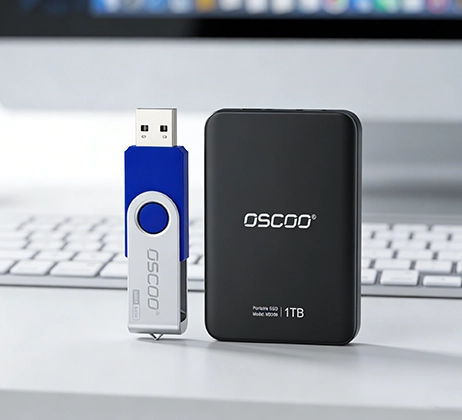
Consumer SSDs are storage products specifically designed for ordinary individual users. Their core application scenarios focus on personal computers, laptops, gaming consoles, and external portable storage devices. The system drives in our daily office computers and the storage drives used to load AAA games in gaming consoles mostly belong to consumer SSDs. To suit the usage habits of individual users, consumer SSDs are designed with a greater emphasis on the principle of “good enough” – controlling costs as much as possible while ensuring basic performance, to make the product price more affordable.
What is an Enterprise SSD?
Enterprise SSDs are storage products designed for professional scenarios like enterprise data centers, servers, and large storage arrays. They face not the intermittent operations of a single user, but concurrent access from hundreds or thousands of users, along with 7×24 hours non-stop high-intensity data read/write tasks. Therefore, the core advantage of enterprise SSDs is not purely pursuing extreme speed, but high reliability, high endurance, and stable performance output. To achieve these goals, enterprise SSDs incorporate special designs in hardware configuration, firmware algorithms, data protection, etc. These designs increase the product price but meet the core needs of enterprise scenarios for “zero failure” and “continuity”.

Main Differences Between Enterprise SSD and Consumer SSD
Usage Scenarios and Targets
The core difference between the two types of SSDs is determined by their target scenarios from the design stage. Consumer SSDs target a “light, intermittent” usage pattern. Individual users’ habits are often “use for one hour, idle for two hours”; for example, turning on the computer to process documents, playing games for two hours then shutting down, with the drive in a low-load or sleep state most of the time. Therefore, the design goal of consumer SSDs is to maximize the user’s perception of “instantaneous speed” within a limited cost, such as fast booting, quick software launches, and rapid game loading.
Enterprise SSDs are the complete opposite. They face extreme scenarios of “sustained high load, high concurrency”. An enterprise server hosting a database may need to process access requests from all over the country 24 hours non-stop. The drive must complete thousands or even tens of thousands of read/write operations every second. This high-intensity load continues for months or even years. So the design goal of enterprise SSDs is “stability first”, ensuring no performance degradation, data errors, or hardware failures under long-term high load, even if it sacrifices some instantaneous speed or increases product cost.
Write Endurance
Write endurance is a core indicator measuring SSD lifespan, typically quantified in the industry by two parameters: TBW (Total Bytes Written) and DWPD (Drive Writes Per Day). This indicator directly determines how much data writing an SSD can withstand, which is particularly important for long-term, high-load enterprise scenarios.
Write endurance is a core indicator measuring SSD lifespan, typically quantified in the industry by two parameters: TBW (Total Bytes Written) and DWPD (Drive Writes Per Day). This indicator directly determines how much data writing an SSD can withstand, which is particularly important for long-term, high-load enterprise scenarios.
Performance Mode
Consumer SSDs strongly emphasize sequential read/write speeds and instant speeds. This is because common user operations, like copying large video files, installing software, and game loading, belong to sequential read/write scenarios. Mainstream consumer NVMe SSDs now can achieve sequential read speeds over 4500 MB/s, and sequential write speeds over 3500 MB/s. This speed is enough to copy a 10GB HD movie in under 3 seconds, providing a very intuitive and smooth experience.
Enterprise SSDs do not pursue extreme sequential read/write speeds at all. Instead, they emphasize sustained stable performance, low latency, and high IOPS. The core demand of enterprise scenarios is handling massive concurrent random read/write requests, such as database queries and update operations. Each operation might only read or write tens of KB or even a few KB of small data, but the number of requests is enormous. This requires the SSD to respond quickly to each request and maintain stable performance even under tens of thousands of concurrent requests.
Generally, enterprise NVMe SSDs can achieve IOPS of 100,000 or more, with high-end models even reaching 1,000,000 IOPS. Consumer SSD IOPS are typically between 10,000 and 50,000. Furthermore, Enterprise SSDs almost never experience “speed drop” – even when continuously writing hundreds of GB of data, performance remains stable, which is crucial for ensuring business continuity.
Data Integrity and Reliability
Consumer SSDs are only equipped with basic ECC functionality, capable of repairing some simple bit errors, meeting the basic data security needs of individual users. But they have almost no other advanced data protection features. For example, most Consumer SSDs lack a hardware-level power loss protection module. If a sudden power outage occurs during data writing, the data being written can be lost, and in severe cases, it can even damage the SSD’s firmware, rendering the entire drive unusable.
Data integrity is the “lifeline” of enterprise scenarios. Once data errors or loss occur, it could cause millions or even hundreds of millions in losses for a company. Therefore, Enterprise SSDs have far more robust data protection designs than Consumer SSDs, building a complete data protection system:
Enterprise SSDs use more advanced ECC algorithms, capable of handling not only simple bit errors but also more complex errors. All Enterprise SSDs are equipped with an independent power loss protection module. This module contains super capacitors that provide brief power during a sudden outage, giving the SSD enough time to safely write data from the cache that hasn’t yet been written to the NAND flash, preventing data loss. Enterprise SSDs commonly support end-to-end data protection. The entire process, from the host sending data to the SSD receiving it, and then writing it to flash, undergoes checks to ensure data doesn’t get corrupted during transmission and storage. The firmware of Enterprise SSDs is specially optimized for data stability, for example, periodically refreshing data stored in the flash to prevent data decay over time.
Interface and Form Factor
Differences in interface and form factor mainly serve to adapt to different usage environments and installation requirements. Consumer SSD interfaces and form factors are relatively simple, focusing on meeting the installation needs of personal computers. Current mainstream Consumer SSD interfaces include SATA and NVMe. SATA is a traditional interface with relatively slower speeds (sequential read/write speed upto 600MB/s), while the NVMe interface, based on the PCIe bus, is faster and is the current mainstream choice.
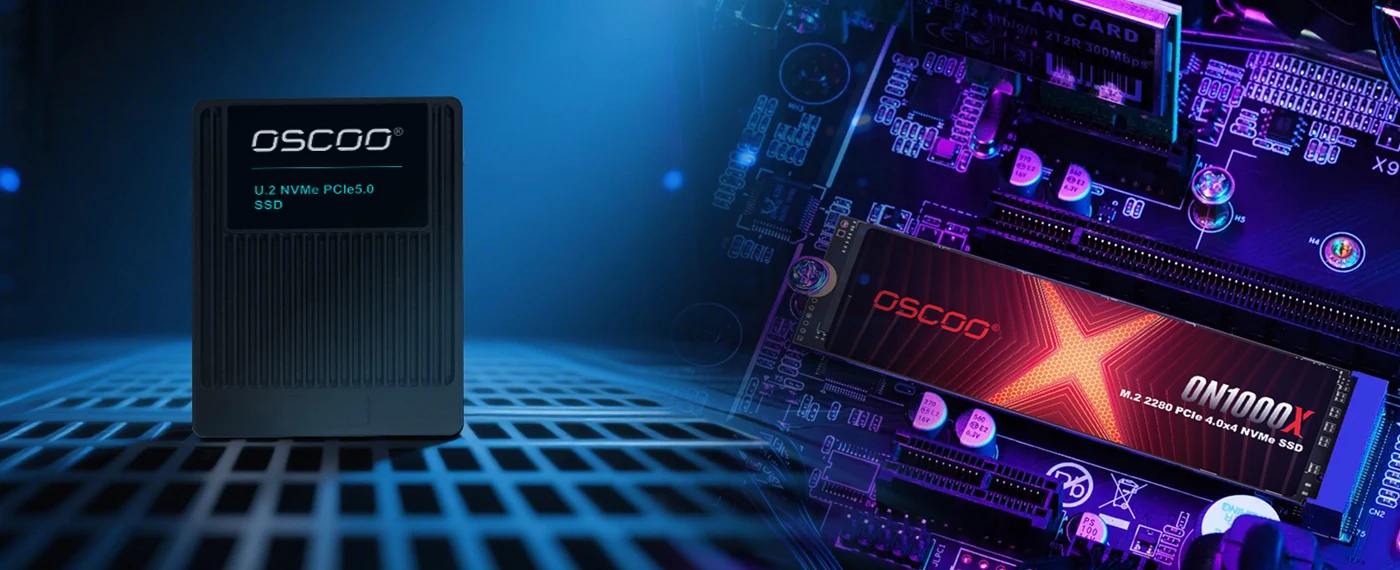
In terms of form factor, Consumer SSDs are mainly in 2.5-inch (primarily for SATA interface) and M.2 form factors (primarily for NVMe interface). The 2.5-inch form factor can directly replace traditional mechanical hard drives, fitting the drive bays of most desktops and laptops. The M.2 form factor is smaller, plugs directly into the motherboard’s M.2 slot, and doesn’t require data or power cables, making it ideal for ultra-thin laptops and small desktops.
Enterprise SSD interfaces and form factors are more diverse to adapt to the complex environments of servers and storage arrays. Interface-wise, Enterprise SSDs almost exclusively use the NVMe interface because SATA speeds can no longer meet the high concurrency demands of enterprise scenarios. In terms of form factor, besides the common M.2 and 2.5-inch U.2 form factor (more robust than consumer 2.5-inch, supports hot-swapping), there are also PCIe card form factors and enterprise-specific form factors like E1.S/E3.S.
Price and Total Cost of Ownership (TCO)
In terms of unit price, Enterprise SSDs are far more expensive than Consumer SSDs. Many people think Enterprise SSDs have “low cost performance,” but this judgment only applies to individual users. For enterprise users, what needs to be calculated is the “Total Cost of Ownership (TCO),” not just the purchase price.
TCO includes purchase cost, maintenance cost, cost of failure, and other dimensions. Consumer SSDs have a low purchase cost but very high maintenance costs and potential costs from failures. If a company uses Consumer SSDs in server scenarios, their lack of endurance and reliability may lead to performance degradation or hardware failure within 6-12 months, requiring frequent drive replacements, which generates significant labor maintenance costs.
Although Enterprise SSDs have a high purchase cost, their maintenance cost is very low. Their design lifespan is typically over 5 years, and they support 7×24 technical support. The probability of failure is extremely low. Even if a failure occurs, comprehensive data protection features can prevent data loss and reduce business interruption risks. In the long run, the TCO of Enterprise SSDs is actually lower.
Lifespan and Stability Metrics
Core metrics for measuring SSD lifespan and stability include MTBF, DWPD, and TBW. These metrics reflect SSD reliability from different angles, and the differences between the two product types are very significant.
The MTBF of Consumer SSDs is typically between 1 million and 2 million hours. This number seems high but needs to be viewed in the context of usage scenarios. MTBF is calculated based on “intermittent load.” If you use the computer 8 hours a day, 1 million hours MTBF means an average failure interval of about 1,000,000 / (8 x 365) ≈ 342 years, which is obviously beyond practical needs. However, if a Consumer SSD is used in a 24/7 server scenario, its actual failure interval will shorten significantly. Meanwhile, the DWPD of Consumer SSDs is typically between 0.1-0.3, only meeting light write demands.
he MTBF of Enterprise SSDs is generally over 2 million hours, with high-end models reaching 5 million hours. This value is calculated based on a “24/7 continuous high load” scenario. 5 million hours MTBF means an average failure interval of about 5,000,000 / (24 x 365) ≈ 570 years, fully meeting the long-term usage demands of enterprise scenarios.
To help you understand the core differences between the two types of SSDs more intuitively, the following table provides a summary comparison.
| Comparison Dimension | Consumer-grade SSD | Enterprise-grade SSD |
|---|---|---|
| Target Users | Individual users, home users | Enterprises, data centers, servers |
| Core Scenarios | Daily office work, gaming, multimedia processing | Databases, high-concurrency services, 24/7 load |
| TBW (1TB capacity) | 300TB-600TB | 1500TB-3000TB+ |
| DWPD | 0.1-0.3 | 1-10+ |
| IOPS | 10,000-50,000 | 100,000-1,000,000+ |
| Data Protection | Basic ECC, no power loss protection | Advanced ECC, PLP, end-to-end verification |
| MTBF | 1-2 million hours (intermittent load) | 2-5 million hours (continuous high load) |
NAND Type
To control costs, Consumer SSDs generally use TLC or QLC flash. TLC flash has a write endurance of about 1,000-3,000 cycles; QLC flash endurance is only 100-1,000 cycles. Although the endurance is relatively short, combined with the low-load nature of consumer scenarios, it fully meets user needs. Also, the Over-Provisioning ratio of Consumer SSDs is typically low, generally between 7%-10% (OP space acts as spare cells for worn-out ones; a lower ratio may lead to faster performance degradation).
Enterprise SSDs use higher-grade NAND flash. Entry-level products might use high-quality TLC flash, while mid-to-high-end products use MLC or even SLC flash. MLC flash endurance can reach 3,000-10,000 cycles; SLC flash endurance is as high as 100,000+ cycles, making it the most durable NAND flash type available. The Over-Provisioning ratio of Enterprise SSDs is also higher, typically between 15%-25%, with some high-end models reaching 30%. Higher OP space not only extends SSD lifespan but also helps maintain stable performance under high load.
Firmware and Algorithm Optimization
Consumer SSD firmware algorithms primarily optimize sequential read/write performance and instant response speed. The firmware allocates a large cache space (usually 1GB-4GB). When a user performs sequential write operations, data is first written to the cache, then written to the NAND flash in batches from the cache. This significantly boosts instant write speed. Also, the garbage collection algorithm in Consumer SSDs focuses more on “low latency,” performing GC operations when the computer is idle to avoid affecting the user experience.
The cache management strategy is smarter, dividing the cache into multiple areas to handle different types of read/write requests, preventing a single request from occupying too many cache resources. The garbage collection algorithm uses a “background parallel” mode, performing GC while handling read/write requests without affecting normal performance output. The wear leveling algorithm is more advanced, distributing data evenly across all storage cells, including the OP space, ensuring even wear and maximizing SSD lifespan. Enterprise firmware also supports various enterprise features, such as extended S.M.A.R.T. information (for real-time health monitoring), encryption functions (protecting sensitive data), hot-swap support (facilitating server maintenance), etc. These features are not available in consumer firmware.
Purchasing Guide
Scenarios Suitable for Consumer SSD
Consumer SSDs are the best choice for most individual users and small office scenarios. Prioritize Consumer SSDs in the following situations:
Daily Office and Entertainment Scenarios: If you need to upgrade storage for a desktop or laptop, mainly for handling office documents (Word, Excel), web browsing, watching videos, listening to music, etc., Consumer SSDs are fully adequate. Consider a 512GB or 1TB capacity NVMe SSD. Gaming Scenarios: Games frequently read resource files during operation, requiring high sequential read speed and instant response. Consumer NVMe SSDs perform well here. Choose a product with 1TB or larger capacity, as many large game installers exceed 100GB; a larger SSD avoids frequent uninstalls. Light Content Creation Scenarios: If you are a social media content creator or student needing simple photo editing (e.g., Photoshop) or short video editing (e.g., 1080p video in editing software), Consumer SSDs can suffice. A 1TB product is recommended for system and files. Budget-Constrained Scenarios: If your budget is tight, Consumer SSDs are the only option. Mainstream 1TB consumer NVMe SSDs offer high value and a significant performance boost over HDDs.
Scenarios Suitable for Enterprise SSD
Enterprise SSDs, though expensive, are essential in the following scenarios and cannot be replaced by Consumer SSDs:
Data Center and Server Scenarios: Whether for internet company cloud servers, financial institution transaction servers, or internal enterprise application servers, Enterprise SSDs are mandatory. These servers run 24/7, handle massive concurrent requests, and demand extremely high SSD endurance, stability, and data security. High-Concurrency Database Scenarios: Databases are the core of business operations (e.g., e-commerce order databases, bank transaction databases), processing thousands or tens of thousands of queries/updates per second, requiring very high IOPS and low latency. Enterprise SSDs provide stable high IOPS and low latency. NAS Storage and Small Virtualization Environments: If an enterprise deploys NAS devices for centralized storage/sharing of business data, or small virtualization environments running multiple VMs, Enterprise SSDs are recommended. Critical Business and Sensitive Data Storage Scenarios: If storing core business data, sensitive customer information, etc., Enterprise SSDs must be used. Their robust data protection features effectively prevent data loss or leakage.
Hybrid Usage Scenario Suggestions
Besides pure consumer and enterprise scenarios, there are hybrid scenarios like home NAS, Homelab, and small business office servers. These have loads that are between individual users and large enterprises, needing certain performance/reliability without bearing excessive costs. A hybrid approach can be used: “Enterprise SSD for data drive + Consumer SSD for system drive.”
- Home NAS scenarios. Many tech enthusiasts will build home NAS to store family photos and videos, and use them as private cloud disks. Such scenarios require SSDs to run for a long time, but the load is relatively low. You can use a 512GB consumer-grade SSD as the system disk of the NAS; use a 1TB or 2TB entry-level enterprise-grade SSD as the data disk to store important family data and ensure data reliability. This not only controls costs but also ensures data security.
- Homelab scenarios. Many IT practitioners will build small virtualization environments on their own computers for learning and testing. Such scenarios have high concurrent loads, but the data importance is relatively low. You can use a 1TB consumer-grade SSD as the system disk to run the host system; use a 2TB enterprise-grade SSD as the virtual machine storage disk to bear the read/write requests of multiple virtual machines and ensure the stable operation of the virtualization environment.
- Office server scenarios of small enterprises. The office servers of small enterprises are mainly used to run OA systems, file sharing services, etc., with moderate load and high data importance. You can use a 512GB consumer-grade SSD as the system disk to run the server operating system; use a 1TB enterprise-grade SSD as the data disk to store OA data and shared files, which not only ensures the running speed of the system but also ensures the security of business data.
Choosing between enterprise-grade and consumer-grade solid-state drives is essentially not about judging which is better, but about finding the solution that best meets your specific needs. The correct choice comes from a clear understanding of your own usage scenarios, data value, and long-term costs. The most expensive hard disk is not necessarily the best choice, and the most economical choice may be costly because it cannot meet the needs. Smart consumers will look beyond surface performance parameters and make the most suitable decision based on reliability, durability, and the matching degree of actual application scenarios.