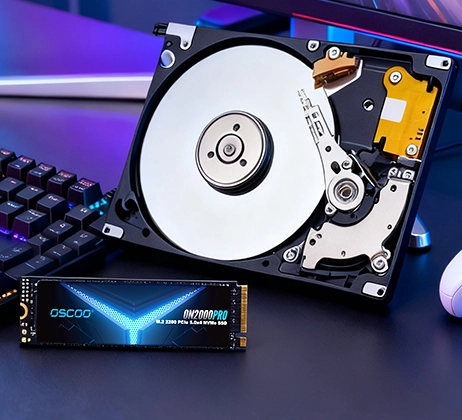
In the spec sheets of storage devices, whether for SSDs, enterprise storage arrays, or cloud service disk specifications, “IOPS” is almost always mentioned repeatedly. Product promotions often highlight “millions of IOPS” or “ultra-high random performance” as key selling points. However, for many users, IOPS remains a technical term that sounds important but isn’t fully understood. Among the many metrics for measuring storage performance, IOPS is a crucial yet often misunderstood concept. It acts like an invisible judge, quietly determining how smoothly a system handles multi-tasking and random data access. Understanding IOPS helps us see through marketing claims and truly grasp the performance nature of storage devices.

What is IOPS?
IOPS stands for Input/Output Operations Per Second. It is a core performance metric that measures how many read/write commands a storage device can process per second. A simple analogy: imagine a storage device is a bank counter. IOPS doesn’t measure how much money passes through the counter in a minute, but how many transactions are processed in that minute—whether deposits, withdrawals, or transfers, each counts as one operation. Therefore, IOPS primarily measures the processing capability or response efficiency of a storage system, focusing on the frequency of operations, not the amount of data moved per operation. Whether reading a small few-KB document from a fast SSD or writing a multi-GB large file to a traditional hard drive, each independent read/write request can be counted towards IOPS. Understanding that IOPS focuses on the number of operations, not the data volume, is the first step to correctly understanding its meaning.
Why is IOPS Important?
The importance of IOPS stems from a fundamental shift in how modern computing environments work. Early computer usage was relatively simple, often involving one major task at a time, like reading or writing one large sequential file. In such cases, the performance bottleneck was often the data transfer speed, i.e., throughput. However, today’s operating systems and applications are constantly performing highly concurrent multi-tasking operations. When you simultaneously open a browser, office software, communication tools, and even play music in the background, the OS needs to handle a large number of scattered read/write requests from different programs.

Most of these requests are randomly distributed across various locations on the storage device, not sequential and orderly. This is like a busy traffic hub: what matters most isn’t the maximum speed limit on a single lane, but the hub’s capacity to handle traffic flow from all directions—how many vehicles can pass through the intersection per second without congestion. High IOPS capability ensures that when facing such massive, random, concurrent data access, the storage device can respond quickly to each request. This makes multiple programs appear to run smoothly simultaneously, without system lag caused by the storage unit being overwhelmed. Thus, in daily applications dominated by random read/write operations, high IOPS directly determines system responsiveness and user experience smoothness.
What Does IOPS Specifically Measure?
To accurately understand IOPS, it’s key to distinguish it from another common metric—throughput, often called transfer speed (MB/s). IOPS focuses on how many independent read/write operations the storage device can execute per second, measuring its ability to handle discrete tasks. Throughput focuses on the total amount of data successfully transferred per unit of time, measuring the bandwidth of data flow. The relationship between them is affected by a key factor: the data block size requested per read/write operation. There’s a simple conversion:
Transfer Speed (MB/s) ≈ IOPS × Block Size (typically in KB) / 1024
This means that for a fixed IOPS, the data block size directly determines the transfer speed. For example, a storage device capable of 10,000 IOPS. When handling typical 4KB small data blocks, its transfer speed is roughly 10,000 × 4KB / 1024 ≈ 39 MB/s. This speed doesn’t seem fast. However, when the same device handles 1MB large blocks, its speed becomes 10,000 × 1MB / 1024 ≈ 9.8 GB/s, a very impressive speed. This example clearly shows that high IOPS does not necessarily mean fast transfer speeds for large files. Conversely, a device boasting very high sequential read/write speeds might have low IOPS when handling massive small files, leading to poor performance. Therefore, discussing IOPS or transfer speed in isolation, without considering block size and access patterns, is incomplete.
How is IOPS Tested?
The IOPS value is not an absolute fixed number; it highly depends on the test conditions. To get meaningful IOPS data or correctly understand vendor-published specs, we need to know key test parameters. (PS: Testing requires specialized benchmark tools, like CrystalDiskMark for general users, or more powerful, flexible command-line tools like FIO).
The primary parameters to set are the read/write type and block size.
- Read/Write types. There are two main types: Sequential and Random. Sequential read/write simulates reading/writing a single large file, like copying a movie. Random read/write simulates an OS or database running, needing to frequently read/write many small files scattered across the disk—a major test for storage performance.
- Block size. 4KB is almost the default standard for industry benchmarks. This is because modern OS file system structures and most application-generated I/O requests revolve around the 4KB page size. Using a standard size allows easy comparison between devices. Therefore, the commonly seen “Random Read/Write IOPS” metric, unless specified otherwise, usually refers to the value measured with a 4KB block size.
Another key parameter is Queue Depth (QD), which can be thought of as the number of commands the system sends to the storage device simultaneously. A higher queue depth better utilizes the parallel processing potential of the storage controller. For example, a high-performance enterprise NVMe SSD review might state: “Max Random Read IOPS (4KB, QD=32) reaches 1 million.” This number can be dozens of times higher than the IOPS measured at QD=1, showing the device’s peak performance under heavy concurrent load.
Finally, a crucial concept is distinguishing between Peak Performance and Steady-State Performance. Many tests default to showing peak performance under short, high stress, where the SSD’s SLC cache isn’t exhausted, yielding impressive results. But a more important metric is steady-state performance: the level at which performance stabilizes after prolonged, intense read/write activity. This better reflects the device’s true performance under extreme load and long-term stability.
Main Factors Affecting IOPS
A storage device’s IOPS performance isn’t determined by a single factor, but by the combined effect of underlying hardware and software. Main influencing factors include:
- Storage Media Type: This is the most fundamental factor. HDD IOPS is limited by the physical read/write head seek time, typically only几十 to around 200. SSDs use electronic signaling, eliminating mechanical delay, thus achieving tens of thousands to millions of IOPS.
- Interface & Protocol: The interface is the data pathway; the protocol is the communication rule. SATA interface and AHCI protocol were designed for the HDD era; their bandwidth and command efficiency limit SSD performance. NVMe protocol with PCIe interface provides high bandwidth and low latency, designed specifically for high-IOPS SSDs.
- Controller & Firmware Algorithms: The controller is the brain of the storage device. A powerful controller chip can efficiently manage concurrent requests under high queue depths. Advanced firmware algorithms optimize read/write processes, garbage collection, and wear leveling, directly determining IOPS peaks and stability.
- Read/Write Type: Usually, read IOPS is higher than write IOPS. Especially on SSDs, writes may require an erase step first, making random write IOPS often the performance bottleneck and a key indicator of overall drive design quality.
- Queue Depth: As mentioned in testing, higher queue depths better exploit the hardware’s concurrent processing potential. Therefore, supporting high queue depths is a basic requirement for hardware to achieve high IOPS.
IOPS Relationship with Other Performance Metrics
To fully assess storage performance, one must not look at IOPS in isolation but combine it with other metrics like Latency and Throughput. They form an interconnected performance picture.
- IOPS vs. Latency: This is the core relationship. Latency measures the time taken to complete one I/O operation. The ideal is high IOPS with low latency. But when load increases and IOPS nears the device’s limit, requests queue up, and latency rises significantly. Therefore, high IOPS is only practically valuable if accompanied by low latency; otherwise, it’s like a congested toll booth—total vehicles passing might be high, but each vehicle’s wait time is long.
- IOPS vs. Throughput: They are linked by the “block size” via the formula: Throughput ≈ IOPS × Block Size. Their focus differs: High IOPS is critical for applications involving random read/write of massive small files, while high throughput benefits sequential read/write of large files. A good storage device should perform well in both modes.
- IOPS & QoS (Quality of Service): In advanced scenarios, average IOPS isn’t enough; QoS matters. QoS focuses on the stability of IOPS and latency, ensuring response times are predictable for the vast majority of requests. A key metric is tail latency, guaranteeing that 99.9% or even 99.99% of I/O requests have latency below a certain threshold. This prevents a few very slow requests from impacting the overall experience, which is crucial for databases, virtualization, and other critical tasks.
Practical Meaning of IOPS in Different Scenarios
The importance of IOPS varies by application scenario. Understanding different needs helps make better storage choices.
- Consumer/Personal Computing: Here, user experience depends heavily on the storage device’s random read IOPS. High random read IOPS significantly shortens OS boot times, speeds up application loading (browsers, office suites), and reduces stutter during game level loading. For most users, a SATA SSD or entry-level NVMe SSD with good random read performance offers a transformative improvement.
- Enterprise Servers & Databases: This is one of the most demanding scenarios for IOPS, especially requiring high random read/write IOPS and very low latency. Database management systems (e.g., Oracle, MySQL) processing online transactions need to instantly read/write numerous scattered small data blocks. Virtualization platforms (e.g., VMware) running multiple VMs simultaneously generate dense, random I/O loads. Here, IOPS stability and consistency (QoS) are often more important than peak performance, as any fluctuation can directly cause business disruption.
- AI & Big Data Analytics: These scenarios have complex needs, often requiring a combination of high throughput and high IOPS. During the data preparation phase for AI model training, quickly reading massive numbers of training sample files (often many small files) requires high IOPS. During the actual training process, it tends towards sequentially reading large batches of data, where high sequential read throughput becomes key. High-performance NVMe SSDs, even NVMe-oF architectures, are thus preferred in these fields.
Limitations of IOPS
Although IOPS is a key storage performance metric, over-relying on it or viewing it in isolation can be misleading. We must recognize its limitations to avoid the “numbers-only” trap.
- Peak vs. Real-World: A single high IOPS number doesn’t always equal great real-world user experience. Vendor IOPS numbers are often peak performance measured under ideal lab conditions (e.g., high queue depth, short test). This is hard to replicate in daily use, where user operations resemble low queue depths, and IOPS there may be much lower. A drive offering stable, low-latency IOPS at low queue depths often feels better than one that only posts high numbers under high queue depths.
- Hides Latency Variation: IOPS, as an average, cannot reveal the distribution of latency for individual I/O requests. It counts the total operations per second but doesn’t show if there are a few extremely slow requests mixed in. These high-latency requests, the “tail latency,” though few, can cause application stutters or database timeouts. For applications requiring smooth consistency, ensuring 99.9% of requests are below a certain latency threshold is far more important than chasing a high average IOPS number.
- Performance Sustainability: Standard IOPS tests often don’t reflect performance stability under prolonged high load. Many SSDs use an SLC cache to maintain very high speeds initially; once the cache is exhausted, write speeds can drop significantly. Therefore, the drive’s “steady-state performance” after sustained writing for tens of minutes or hours is more meaningful than the “peak performance” of the first few seconds. Also, IOPS itself says nothing about data safety or drive endurance; a high-IOPS drive could have firmware bugs or a short lifespan.
How to Correctly View IOPS?
- Scenario First. Before evaluating any metric, define your primary use case. For consumer tasks (office work, web browsing, gaming), a SATA SSD or entry-level NVMe SSD with IOPS in the tens to hundreds of thousands range (e.g., 100k-500k random read IOPS) already provides a very smooth experience. Blindly chasing millions of IOPS offers minimal perceptible improvement. Conversely, for enterprise scenarios (databases, virtualization, HPC), choose enterprise SSDs with stable IOPS of hundreds of thousands or millions+, emphasizing low latency.
- Comprehensive Consideration. Never look at the IOPS number alone; combine it with other metrics and factors.
- IOPS with Latency: A drive claiming 800k random read IOPS with an average latency under 0.1ms will feel significantly better than one with 1M IOPS but 1ms latency.
- Focus on Steady-State: In professional reviews, a drive’s performance might drop from a peak of 500k IOPS to a stable 150k IOPS after 30 minutes under full load. This “stable value” is more important than the peak.
- Consider Endurance & Warranty: Always check the warranty period and TBW (Total Bytes Written) rating. For example, a 1TB SSD warranty might be 5 years or 600 TBW, which says more about long-term reliability than just the IOPS number.
- Be Rational About Benchmarks. Benchmark scores are important reference tools, not absolute standards. They help quickly narrow choices, e.g., comparing IOPS of different SSD models at the same price point under identical test parameters. But the final decision should also consider user reviews regarding real-world performance over time, failure rate reports, and brand reputation, as these reflect the product’s overall real-world behavior.
In the world of storage performance, IOPS is a vital core metric that reveals a device’s basic capability in handling concurrent requests. However, as we’ve seen, it’s just one piece of the puzzle. True performance evaluation requires looking beyond a single number to a bigger picture. The essence of high-performance storage lies in a fine balance across multiple dimensions. Beyond IOPS, latency determines responsiveness, throughput affects large data transfer efficiency, and long-term stability is key for business continuity. These metrics are interconnected; a weakness in any can become a bottleneck in real-world experience. For users, rationally viewing IOPS and focusing on overall performance under real-world loads is the key to selecting and evaluating storage devices.