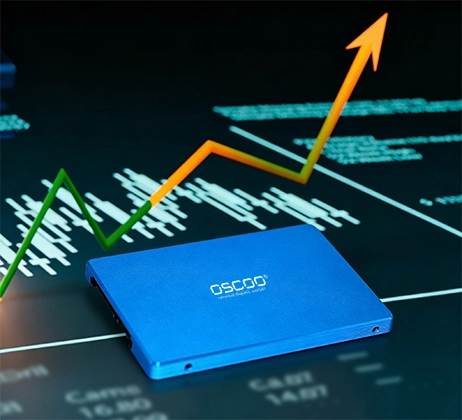
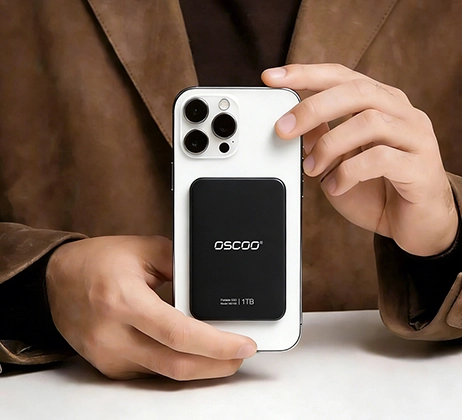
Not all 固态硬盘 use PCIe. PCIe is a high-speed interface designed for modern, high-performance SSDs, but many common SSDs rely on different connections, such as SATA and external USB models.
Why Not All SSDs Are PCIe?
PCIe Is Primarily the Name of a Bus
Many people think of”PCIe” as a certain slot shape. But technically, PCIe (Peripheral Component Interconnect Express) is first of all a bus standard. It defines how data moves at high speed between the CPU, memory, and devices like SSDs and graphics cards. When you hear”PCIe SSD”, it means the SSD uses the PCIe bus as its data path, but not that it has to look a certain way.
Besides PCIe, What Other Buses Do SSDs Use?
In today’s consumer and enterprise SSDs, you will mainly encounter three kinds of buses:
- SATA bus: Originally designed for mechanical hard drives. It has a theoretical bandwidth of 6 Gbps, which translates to about 550 MB/s in real-world speed. SATA 固态硬盘 use this bus.
- PCIe bus: It is much faster than SATA. A single lane (x1) can deliver about 1 GB/s (for PCIe 3.0). Mainstream SSDs use four lanes (x4), reaching several GB/s or even higher.
- USB bus: Used for 外置 SSD. Even if an external SSD may contain a PCIe NVMe drive inside, the data path from the enclosure to your computer runs over the USB bus, with a bridge chip converting the signals.
Where Does the Confusion Come From?
The bus is made of copper traces and electrical signals inside the circuit board. You cannot see”the bus” even if you open up your computer. What you can see are two things: the physical interface (SATA port, M.2 slot, USB-C port, etc.) and the SSD’s size or 外形尺寸 (2.5-inch, M.2, U.2, etc.). Many people assume that the same interface or same shape means the same bus. That assumption is often wrong, and it’s the main source of confusion.
In many cases, bus and interface or form factor are not tightly linked:
- M.2 interface: M.2 is a physical shape (a small stick-like card), but it can run on either the SATA bus or the PCIe bus. You cannot tell which bus an M.2 固态硬盘 uses just its appearance. You have to check the specs. If you plug an M.2 SATA drive into a slot that only supports PCIe, it won’t work, and vice versa.
- 2.5-inch form factor: Most 2.5-inch SSDs run on the SATA bus. However, U.2 SSDs are also 2.5-inches in size, but they use the PCIe bus. They look similar in size, but the connector is different (U.2 has a denser, different port). Just seeing”2.5-inch” tells you nothing about the bus.
Nevertheless, there are also cases where bus and interface are absolutely linked:
- Standard SATA data port (L-shaped, 7-pin) → Always SATA bus.
- Standard PCIe slot (like x4, x8, x16 long slots) → Always PCIe bus.
- mSATA interface (older mini card) → Always SATA bus.
- USB Typea-A or Type-C port (as an external connection) → Always USB bus.
How to Tell If an SSD Uses PCIe
Read the Specifications. Look for the interface or bus field on the drive’s label, its packaging, or the manufacturer’s website. If it says”PCIe”,”NVMe”,”PCIe Gen3 x4″,”PCIe 4.0″, etc., the drive uses the PCIe bus. If it says”SATA”,”SATA III”, it uses the SATA bus.
Use Software to Detect the Bus. If the SSD is already installed in your computer, you can simply ask the operating system.
- On Windows, open Device Manager, expand”Disk drives”, right-click your SSD, go to Properties → Details →”Hardware Ids”. If you see”NVMe” anywhere in the string, it’s PCIe. If you see”SATA”, it’s SATA.
- On macOS, click the Apple logo → About This Mac → System Report → If your SSD appears there, it’s PCIe. If not, it’s likely SATA (and will appear under SATA/SATA Express).
- On Linux, open a terminal and run lspci -vv | grep -i nvme 或 lsblk -d -o name,rota,tran. The”tran” column will show”nvme” or”sata”.
SSD Type Comparison
| 固态硬盘类型 | Interface/Bus | 规程 | Typical Speed |
|---|---|---|---|
| PCIe SSD | PCIe 3.0/4.0/5.0 x4 | NVMe | 3,500–14,000+ MB/s |
| SATA 固态硬盘 | SATA III (6 Gb/s) | AHCI | 500-550 MB/s |
| USB SSD | USB 3.0/3.1/3.2/4.0 | USB Mass Storage | 400–3,000 MB/s |
| mSATA 固态硬盘 | SATA | AHCI | ~500 MB/s |