What Do the Numbers 2242 and 2280 Mean?
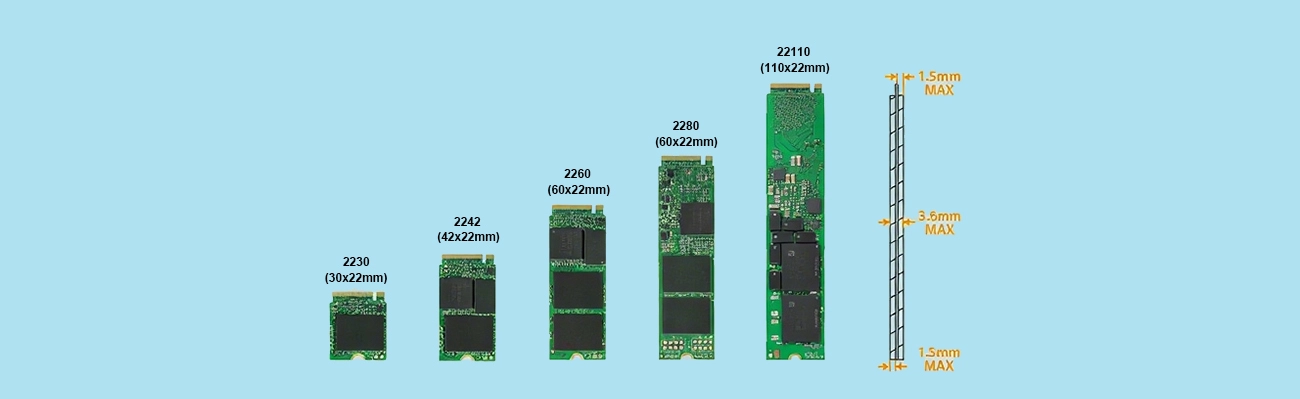
Comprehensive Comparison of M.2 2242 and 2280
Physical Size

Capacity Limit
Performance
Both the 2242 and 2280 SSDs support two transmission protocols: SATA and NVMe. The performance under different protocols is significantly different. The specific information is shown in the table below:
| Type | SATA | NVMe | ||||||
|---|---|---|---|---|---|---|---|---|
| Read Speed | Write Speed | 4K Random IOPS | TBW (1TB) | Read Speed | Write Speed | 4K Random IOPS | TBW (1TB) | |
| M.2 2242 | 500-560 MB/s | 450-500 MB/s | 50K-100K | 300-600 TBW | 1500-3500 MB/s | 1000-3000 MB/s | 200K-500K | 300-800 TBW |
| M.2 2280 | 500-560 MB/s | 450-500 MB/s | 50K-100K | 300-600 TBW | 7000-7400 MB/s | 5000-6900 MB/s | 500K-1M | 600-1800 TBW |
Performance differences between M.2 2242 and 2280 SSDs are not due to form factor itself, but rather hardware limitations such as NAND chip count, controller design, and thermal capacity.
Actual User Experience
For light use scenarios such as daily office work, web browsing, and video watching, the experience difference between the two is not obvious, and ordinary users can hardly perceive the speed difference. However, in heavy use scenarios such as game loading, video editing, 3D rendering, and large data copying, the advantage of the 2280 SSDs will be more obvious, which can greatly shorten the loading time and processing time and improve use efficiency.
Heat Dissipation Capacity
Heat dissipation capacity directly affects the performance stability and service life of the SSD. The heat dissipation difference between the two still comes from the size. The 2242 SSD is small in size, so the heat dissipation space left for it inside the device is limited, and it cannot be equipped with a large-area heatsink, usually without an independent heat dissipation structure. Therefore, when running at high load, the temperature rises quickly, which is easy to trigger the temperature wall and cause sudden performance drops. The 2280 SSD is larger in size and can be equipped with a large-area copper foil heatsink or metal shield. Some high-end models also have built-in graphene or aluminum heatsinks, which have higher heat dissipation efficiency and better temperature control with low risk of frequency reduction and more stable sustained performance.
Price and Market Availability
In terms of price, for the same capacity and protocol, the price of 2242 SSDs is 10%-20% higher than that of 2280 SSDs. This is because the 2242 has a small output and relatively niche demand, resulting in higher unit production costs. In terms of market availability, there are a great variety of 2280 models. Almost all storage brands have a large number of related models, which are available everywhere with a wide range of choices. However, there are fewer 2242 models, mainly concentrated in a few brands, and some niche models may be out of stock, making them relatively difficult to buy.
Which Size to Choose for Different Devices?
Thanks to their compact size and lightweight design, M.2 2242 SSDs take up very little internal space, making them a perfect fit for devices where every millimeter matters. Their smaller footprint allows them to be installed in systems that simply cannot accommodate longer drives like the 2280. As a result, these drives are especially well suited for the following scenarios and device types:
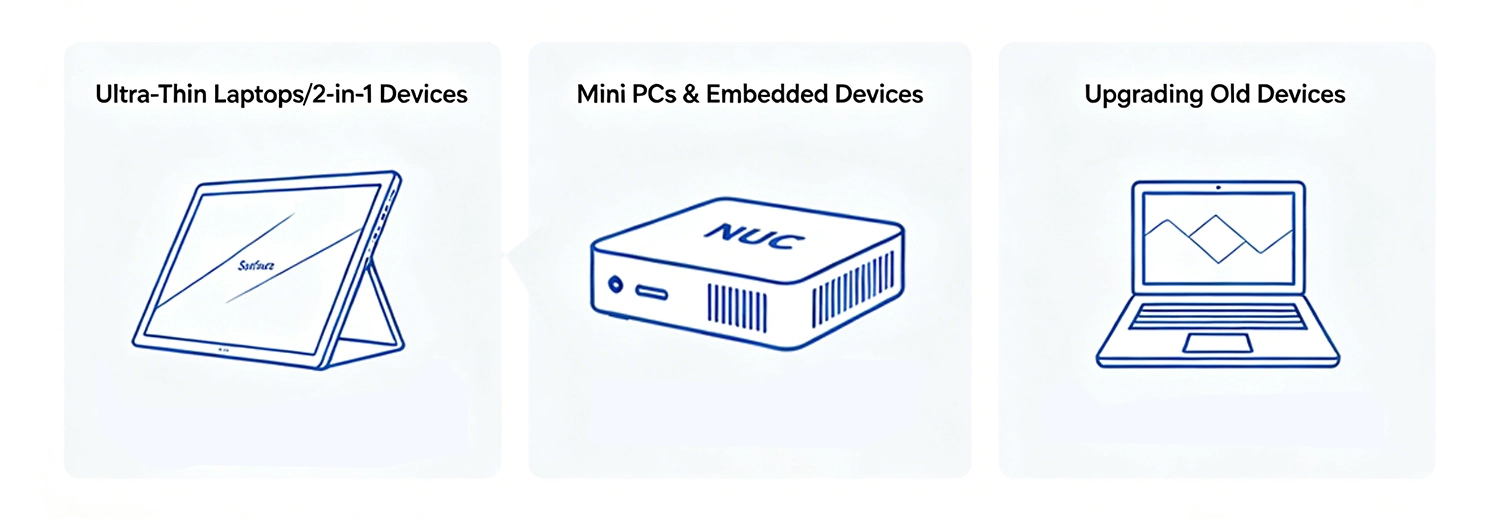
- Ultra-Thin Laptops/2-in-1 Devices. Ultra-thin laptops and 2-in-1 devices such as Surface Pro and ThinkPad X series have extremely limited internal space and cannot accommodate SSDs of 2280 length. At this time, a 2242 SSD is the only choice. It is small in size and light in weight, which can provide high-speed storage for the device without increasing the thickness and weight of the device. At the same time, its power consumption is slightly lower, which can also help extend the battery life of mobile devices.
- Mini PCs and Embedded Devices. Mini PCs such as NUC and HTPC, as well as industrial embedded devices, have strict size restrictions and can usually only be equipped with small storage devices. The small size of the 2242 SSDs can perfectly adapt to the chassis design of such devices, and at the same time meet the demand for high-speed storage, without occupying too much internal space, ensuring the normal operation of the device.
- Upgrading Old Devices. Some laptops or desktops launched earlier only support the 2242 specification for their M.2 slots. When upgrading the storage of such devices, only 2242-sized SSDs can be selected, and 2280 cannot be used. Therefore, before upgrading, you must confirm the size specification supported by the device.
With their longer PCB and larger surface area, M.2 2280 SSDs can accommodate more flash chips, larger caches, and better heat dissipation solutions. This design translates directly into higher capacity limits, faster peak and sustained speeds, and improved thermal stability. As a result, the 2280 form factor is ideally suited for devices where performance and storage space take priority over absolute compactness. The following types of systems benefit most from what the 2280 has to offer:
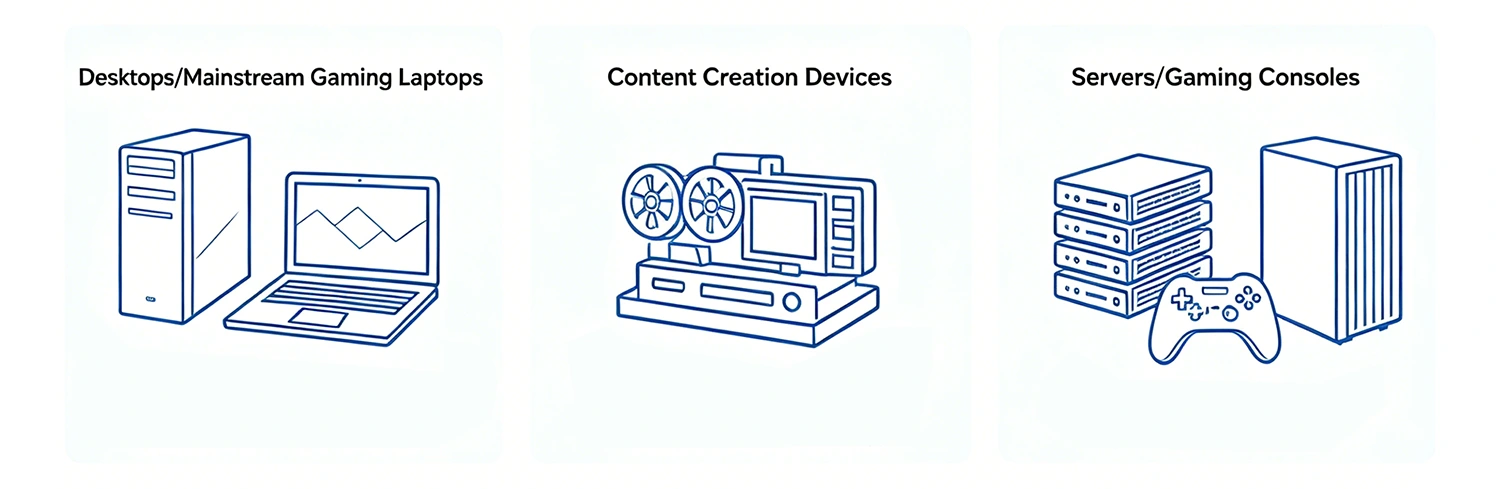
- Desktops/Mainstream Gaming Laptops. Desktops and mainstream gaming laptops have sufficient internal space and no size restrictions. Users of such devices usually pursue high performance and large-capacity storage, and the 2280 SSDs can perfectly meet these needs. Whether it is game loading, multi-tasking, or large-capacity file storage, the performance and capacity advantages of the 2280 can be fully exerted, making it the first choice for storage solutions for such devices.
- Content Creation Devices. Content creation work such as video editing, 3D rendering, and graphic design requires a lot of storage space to store materials and finished products, and has high requirements for read and write speeds. The large capacity and high-speed performance of the 2280 SSDs can greatly improve creation efficiency, reduce the time for material loading and file export, and avoid affecting work progress due to insufficient storage performance.
- Servers/Gaming Consoles. Servers need to run 24/7, so they have extremely high requirements for the stability and service life of storage. M.2 2280 SSDs have better heat dissipation and higher TBW, which can ensure long-term stable operation. Gaming consoles such as PS5 require high-speed storage to support game loading and operation. The high-speed performance of the 2280 SSDs can meet the storage requirements of the console and bring a smoother gaming experience.
Pros and Cons of M.2 2242 SSDs
The advantages of the M.2 2242 SSDs:
- its small size can adapt to devices with limited space.
- It is light in weight, which can reduce the overall weight of mobile devices.
- Its power consumption is slightly lower, which helps extend the battery life of mobile devices.
Disadvantages of M.2 2240 SSDs are also obvious:
- The capacity limit is low, up to only 2TB, which cannot meet the needs of large-capacity storage.
- Performance is limited, especially under the NVMe protocol, it cannot exert top performance.
- Heat dissipation capacity is poor, and it is easy to reduce frequency under high load.
- There are few optional models, and the price is higher than that of 2280 SSDs for the same capacity.
- The life is generally lower than that of the same-level 2280.
Pros and Cons of M.2 2280 SSDs
The advantages of the M.2 2280 SSDs are concentrated in performance and capacity:
- The capacity limit is high, up to more than 8TB, which can meet the needs of massive storage.
- It has strong performance, supports PCIe 5.0 top performance, fast read and write speeds, and stable sustained performance.
- Better heat dissipation, not easy to reduce frequency, and longer service life.
- Rich models, wide range of choices, and higher cost performance for the same capacity.
M.2 2280 SSDs’ main disadvantages are:
- Large size, which cannot adapt to ultra-thin devices and chassis with limited space.
- Slightly higher weight, which will increase the overall weight of the device.
- When used in some compact devices, additional fixing or heat dissipation measures may be required.
Simple Steps to Choose the Right M.2 SSD for Yourself
If you find yourself torn between the M.2 2242 and the M.2 2280, unsure which size will work best for your device and your needs, don’t worry. Making the right choice doesn’t have to be complicated. By walking through a few simple steps, you can quickly narrow down your options and identify the SSD that fits your specific needs.
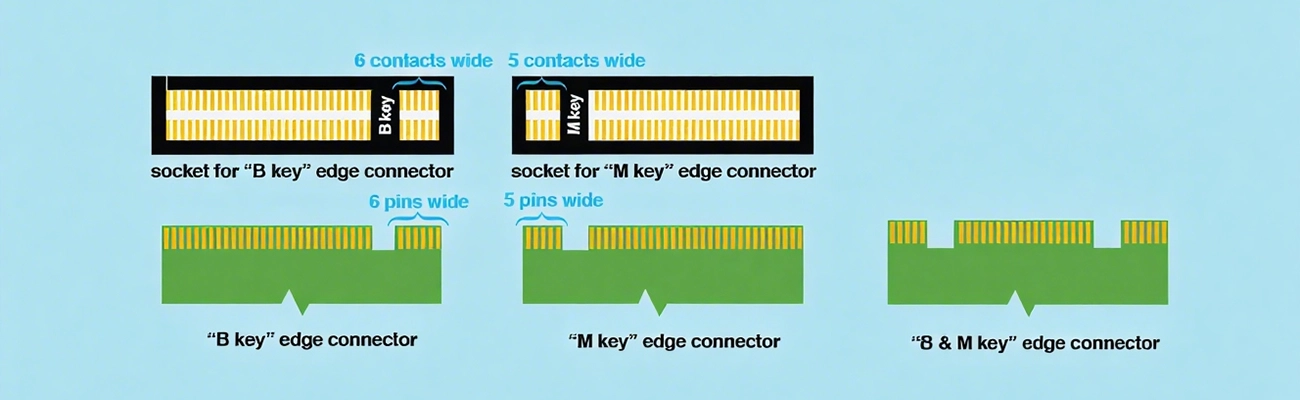
- Determine the supported Key interface. M.2 interfaces have different types such as BKey and MKey. Different Key interfaces support different transmission protocols and the number of channels. For example, BKey mainly supports SATA and PCIe 2x protocols, and MKey mainly supports PCIe 4x protocols. Before purchasing, you need to confirm the Key type of your device’s M.2 slot to avoid compatibility issues. Always check your device’s manual or specification sheet to confirm the key type before purchasing.
- Determine whether SATA or NVMe is supported. The M.2 slots of different devices support different transmission protocols. Some devices only support SATA protocol, some only support NVMe protocol, and some support both. If you pursue high-speed performance, prioritize the NVMe protocol; if you have no high requirements for speed and the device only supports the SATA protocol, choose the SATA protocol.
- Confirm the size specification supported by the device. This is the most critical step. You need to check the device’s manual or official parameters to confirm the length supported by the M.2 slot: whether it only supports 2242, only 2280, or both to avoid buying the wrong size that cannot be installed.
- Clarify your own capacity and performance needs. If you only use it for daily office work and web browsing, 1TB capacity and SATA protocol are sufficient. But if you are into gaming or content creation, it is recommended to choose products with 2TB or more capacity and NVMe protocol to ensure that performance and capacity can meet your needs.
- Choose a cost-effective model based on your budget. For the same specification, prioritize brands with good reputation and guaranteed after-sales service. Within your budget, choose the model with the most suitable capacity and performance for your needs. There is no need to blindly pursue top performance to avoid waste.
Physical Installation Guide
Whether it is a desktop or a laptop, the installation of an M.2 SSD is relatively simple.
- Turn off the device power and unplug the power adapter (for desktops, unplug the host power) to avoid electrostatic damage to the device.
- Find the M.2 slot on the device, insert the M.2 SSD obliquely into the slot according to the slot position and supported size, ensuring that the interface is fully in contact.
- Use the matching screws to fix the SSD to the screw hole of the device. Be careful not to use too much force to avoid damaging the SSD or the slot.
- Reconnect the power, turn on the computer, and after entering the system, confirm that the SSD is recognized normally, then it can be used normally.
For M.2 2242 and 2280 SSDs, there is no absolute superiority or inferiority between them. The core lies in adaptability. 2242 SSDs are compact, which solves the storage needs of ultra-thin devices and mini devices. High performance and large capacity are the core advantages of the 2280, which meets the needs of mainstream devices and high-performance scenarios. You only need to select the most suitable M.2 SSD for yourself according to your device type, capacity needs, performance needs, and budget. There is no need to blindly pursue high performance.