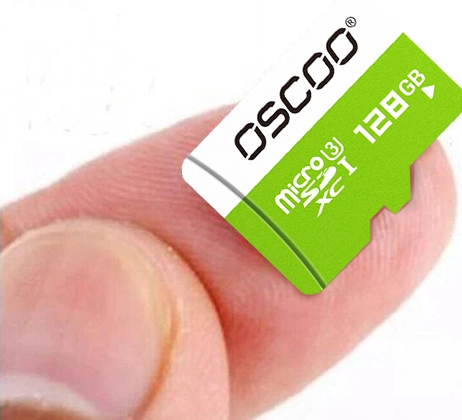
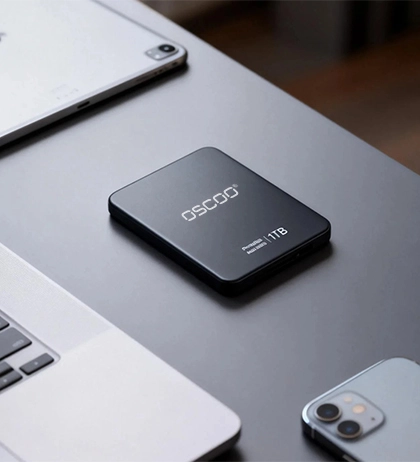
In daily use, flash drives and portable SSDs are both “portable storage devices.” They are small in size, connect to computers or phones through USB ports, and can be used to copy files, back up data, and transfer information. At first glance, they look very similar. Because of this similarity, many people wonder whether these two devices are essentially the same thing. The answer is no. Although both products are based on flash memory technology, there are very clear differences in design goals, internal structure, performance, and use cases. This article will systematically explain the fundamental differences between flash drives and portable solid-state drives.
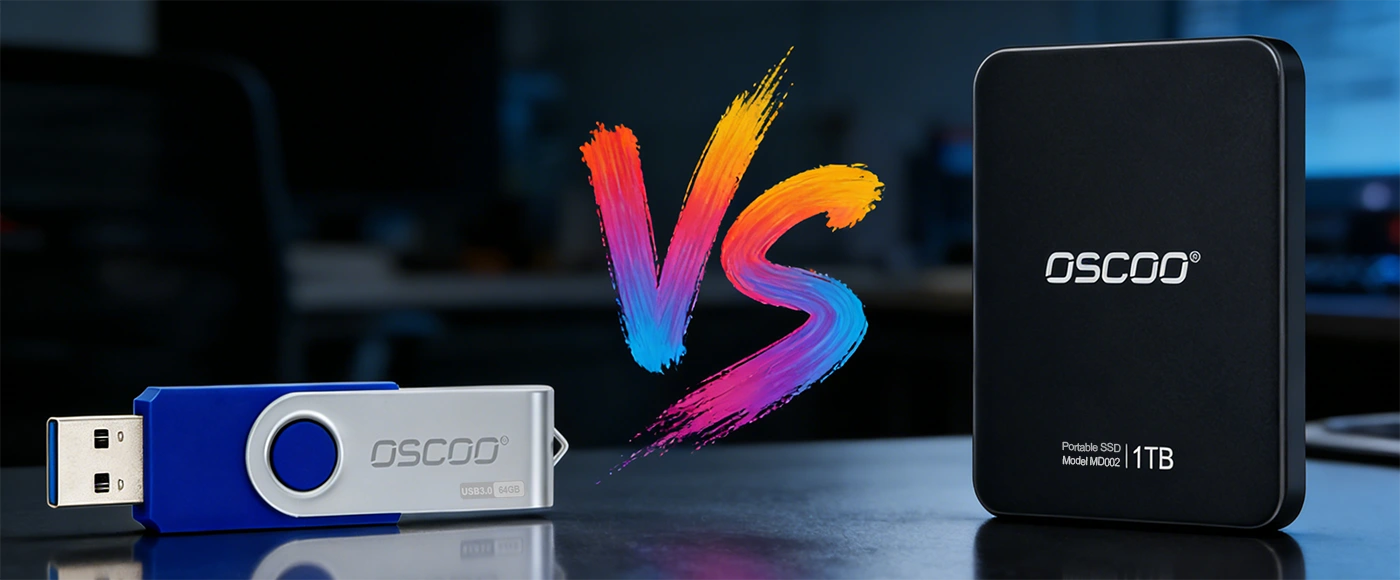
Different Design Goals Lead to Fundamental Differences
A flash drive, commonly known as a USB drive, has a very simple structure. It mainly consists of flash memory chips and a basic USB controller. Its original design goal is to meet light data carrying and temporary file transfer needs, such as copying a document, several photos, or temporarily storing an installation package. In terms of capacity, flash drives are usually available in the range of 8GB to 256GB. The interfaces are mainly USB-A and USB-C. They are very easy to use and truly plug-and-play, without any complex setup.
A portable SSD, however, has a completely different positioning. Its core components include high-performance NAND flash memory, a professional SSD controller, and a cache system. Essentially, it is an “external SSD,” not just an upgraded flash drive. Compared with flash drives, portable SSDs have much higher capacity limits. Today, products with 1TB, 2TB, or even 4TB are very common on the market. They mainly use high-speed USB-C interfaces, and some also support Thunderbolt, following the development trend of device interfaces. The design goal of a portable SSD is to provide performance close to an internal SSD, in order to handle heavier data processing tasks, rather than simple file transfer.
The Core Reasons Behind Performance Differences
Many people mistakenly believe that flash drives and portable SSDs “use the same type of flash memory,” so their performance should be similar. In reality, this is not the case. It is true that both store data using NAND flash memory, which is their only core similarity. However, the specific type of flash memory and the controller used make a huge difference in performance.
From the perspective of flash memory type, flash drives usually use low-cost NAND flash, such as QLC flash, in order to reduce costs. QLC flash stores 4 bits of data per cell. While this helps increase capacity and reduce cost per gigabyte, it has clear disadvantages in read/write speed and write endurance. Portable SSDs, on the other hand, prioritize performance and stability, so they more commonly use better-performing flash memory such as TLC flash. Some high-end products even use MLC flash.

In addition to flash memory type, the controller is the key factor that determines performance, stability, and lifespan. The USB controller used in flash drives is very simple. It only supports basic read and write commands and lacks advanced performance optimization and endurance management features. As a result, flash drives can only operate in the most basic way and cannot handle high-load data transfer scenarios. Portable SSDs are equipped with professional SSD controllers, which act as the “brain” of the device. These controllers have strong computing power and can coordinate flash memory chips efficiently. They also support cache management, bad block detection, and wear leveling. Together, these functions ensure high-speed data transfer and long-term stable operation.
Performance Comparison
In real-world use, the performance gap between flash drives and portable SSDs is very obvious, especially when handling large files, many files, or long-duration transfer tasks. In these situations, the difference becomes even more noticeable.
Sequential Read and Write Speed
Sequential read and write speed is an important indicator of how well a portable storage device can transfer large files. Flash drives usually have sequential speeds of only tens of megabytes per second. For flash drives using USB 2.0, speeds may be even lower, sometimes only around ten megabytes per second. This speed is acceptable for copying a few hundred megabytes of documents or photos. However, when transferring large files such as several gigabytes or even tens of gigabytes of videos or compressed files, it takes a very long time and is highly inefficient.
Portable SSDs are much faster. Mainstream products can achieve sequential read speeds of over 1000MB/s and write speeds of over 500MB/s. High-end models that support Thunderbolt 3 or Thunderbolt 4 can even exceed 2000MB/s. At these speeds, transferring a 10GB video file may take only a few seconds or a little over ten seconds, which greatly saves time. This makes portable SSDs especially suitable for users who frequently work with large files.
Random Read/Write and Sustained Performance
This affects the experience when handling many small files, as well as stability during long periods of continuous writing. When dealing with a large number of small files, such as hundreds of photos or dozens of documents, the weakness of flash drives in random read and write performance becomes very clear. Users often need to wait repeatedly, and stuttering may occur.
More importantly, flash drives are very prone to sharp speed drops during long writing sessions. This is because flash drives usually have no cache or only a very small cache. Once the amount of data being written exceeds the cache size, data must be written directly to the flash memory. Low-cost QLC flash already has slow write speeds, and combined with the limitations of a simple controller, performance can drop significantly, sometimes to only a few megabytes per second.
Portable SSDs do not suffer from this problem. Their random read and write speeds are much higher, and they remain smooth even when handling many small files. Most portable SSDs are equipped with a cache, ranging from a few gigabytes to tens of gigabytes. During writing, data is first written to the cache, and then the controller gradually moves it to the flash memory. This not only improves write speed but also prevents speed drops during long write operations. Even when continuously writing tens or hundreds of gigabytes of data, portable SSDs can maintain relatively stable performance without the severe slowdowns seen in flash drives.
Interface Considerations
It is important to note that the interface does not equal actual performance. Many people think that “if both use USB-C, the speed should be similar,” but this is not true. The interface is only the data transmission channel. Real performance also depends on the internal architecture, including flash memory, controller, and cache. For example, even if both a flash drive and a portable SSD use USB-C, the flash drive may only support USB 3.0, while the portable SSD may support USB 3.2 Gen2 or even Thunderbolt. Combined with differences in internal components, the final transfer speed can differ by several times or even more than ten times. Therefore, you should not judge performance based on the interface alone, but also pay attention to the core internal configuration.
Lifespan and Reliability
For users who need to store important data for a long time, lifespan and reliability are critical. In this area, the gap between flash drives and portable SSDs is also very clear.
Write Endurance and Durability
Flash drives use low-cost QLC flash, which has relatively low write endurance. The lifespan of flash memory is usually measured in P/E cycles (program/erase cycles). QLC flash typically supports around 1,000 P/E cycles, sometimes even fewer. This means that after repeated writing and erasing, bad blocks may appear, affecting normal use and even causing data loss. In addition, flash drives lack wear leveling due to their simple controllers, so data cannot be evenly distributed across memory cells. Some cells are overused, which further shortens lifespan.
Portable SSDs are different. They use TLC or MLC flash, which has much higher endurance. TLC flash usually supports around 3,000 to 5,000 P/E cycles, while MLC flash can exceed 10,000 cycles. Professional SSD controllers also support wear leveling, evenly distributing data across memory cells to avoid excessive wear on individual cells. This greatly extends the write lifespan and makes portable SSDs more suitable for frequent, long-term use.
Physical Durability
In daily use, portable storage devices may face accidents such as bumps, drops, dust, or water. Physical durability directly affects whether the device will be damaged. Flash drive connectors are usually simply soldered without reinforcement. Long-term plugging and unplugging or minor impacts can cause the connector to loosen or break, damaging internal circuits. Most flash drives also use plastic housings, which are relatively fragile and have weak resistance to drops and shocks. When dropped or hit, the casing can crack and internal components can be damaged.
Portable SSDs place greater emphasis on durability in their physical design. Their connectors are usually reinforced, and many products use metal housings. These are stronger, more resistant to drops and vibration, and also help with heat dissipation, preventing overheating during long operation. Many portable SSDs also offer dustproof and waterproof features, allowing them to handle more complex environments and further improving reliability.
Data Security and Stability
Data security is one of the most important requirements for portable storage devices, especially for users storing important work files or personal data. Data loss or leakage can have serious consequences. Flash drives have a higher risk of data loss during sudden power loss or accidental removal. This is because their controllers lack advanced data protection mechanisms, and data being transferred may not be written in time, leading to corruption or loss. In addition, most flash drives do not support encryption. If the device is lost, the data can be easily accessed by others, posing a privacy risk.
Portable SSDs have clear advantages in data security. Professional SSD controllers support power-loss protection, allowing cached data to be quickly written to flash memory during sudden power loss or accidental unplugging. Many portable SSDs also support hardware or software encryption. Users can set passwords so that even if the device is lost, others cannot access the data. This effectively protects data security and privacy.
Price Differences
The price gap between flash drives and portable SSDs has always been obvious. For the same capacity, a flash drive usually costs only a fraction of a portable SSD. Many people wonder why there is such a big difference when both are portable storage devices. The reason lies in the cost of core components.
Flash drives are inexpensive mainly because their core components are cheap. Low-cost QLC flash is much cheaper than the TLC or MLC flash used in portable SSDs. The USB controllers in flash drives are very simple and cheap, and most flash drives have no cache, further reducing hardware costs. Their manufacturing process is also relatively simple, with no need for complex design or tuning. Large-scale production further lowers costs, resulting in low retail prices.
Portable SSDs are more expensive because their core components cost more. High-performance TLC or MLC flash and professional SSD controllers are major cost factors. SSD controllers, in particular, require high R&D investment and have strong computing power, making them much more expensive than simple USB controllers. Portable SSDs also usually include cache memory, which adds to the cost. In addition, their designs must consider heat dissipation, shock resistance, and water resistance, with better materials and craftsmanship. All of these increase manufacturing costs and are reflected in the final price.
Use Cases
Different devices have different roles. Choosing the right product based on your actual usage scenario allows you to get the most value.
Flash drives are more suitable for small file transfers and temporary use, such as:
- Temporarily transferring documents, presentations, and images.
- Creating operating system installation media or system recovery drives.
- Distributing files during meetings or acting as physical license keys.
- Any situation where capacity and speed requirements are low, but extreme portability and low cost are needed.
Portable SSDs are more suitable for large file backup and long-term storage, such as:
- Mobile media libraries for photographers and video editors, requiring fast access to high-resolution photos and videos.
- Portable game libraries that can run large games directly from the drive.
- Developers carrying complete development environments or virtual machines.
- Regular full backups of computer systems or important data.
- Professionals or advanced users who need to work on large projects while traveling and require smooth performance.
| Specification | Flash Drive | Portable SSD |
|---|---|---|
| Internal Structure | NAND flash + simple USB controller | NAND flash + professional SSD controller + cache |
| Flash Memory Type | Mostly low-cost QLC NAND | Mostly TLC NAND, some high-end models use MLC |
| Typical Capacity Range | 8GB – 256GB | 500GB – 4TB or more |
| Interface | USB-A or USB-C (often USB 2.0 / USB 3.0) | Mainly USB-C, some support USB 3.2 Gen2 or Thunderbolt |
| Sequential Read Speed | Tens of MB/s (USB 2.0 even lower) | 1000MB/s+, up to 2000MB/s+ with Thunderbolt |
| Sequential Write Speed | Usually much lower than read speed | 500MB/s+, high-end models much faster |
| Random Read/Write Performance | Weak, noticeable lag with many small files | Strong, smooth performance with small files |
| Cache | None or very small | Yes, several GB to tens of GB |
| Controller Capability | Very limited, basic data transfer only | Advanced controller with cache management and wear leveling |
| Data Safety on Power Loss | High risk of data loss | Better protection, safer during sudden unplug |
| Encryption Support | Rare | Common (hardware or software encryption) |
| Price (Same Capacity) | Very low | Much higher than flash drives |
Future Trends
Will portable SSDs completely replace flash drives? The answer is likely no. The two are complementary rather than replacements. Flash drives still have a valid place due to their unique advantages. They are small, inexpensive, and easy to carry, making them ideal for light data transfer and temporary use. For most everyday users who only need to copy small files, flash drives are more than sufficient and do not require much spending. Their plug-and-play nature also makes them very useful in emergency situations, such as quickly copying data when a computer suddenly fails. In the future, flash drives may continue to evolve toward smaller size, lower power consumption, and greater convenience to meet lightweight storage needs.
The adoption of portable SSDs, however, is becoming increasingly obvious. As digital content grows in size, such as 4K videos, large games, and professional design files, users demand higher speed and capacity. The advantages of portable SSDs become more prominent. At the same time, as technology advances, their costs continue to decrease, making them more affordable. In the future, portable SSDs may develop toward higher speeds, larger capacities, lighter designs, and greater durability. They will not only be essential tools for professionals but will also gradually enter everyday life, meeting the growing demand for high-speed storage.
Although flash drives and portable SSDs may look similar, they differ fundamentally in technical positioning, core architecture, performance, lifespan, reliability, and use cases. When choosing a portable storage device, there is no need to blindly pursue the highest performance or the lowest price. Instead, you should make a rational choice based on your actual needs. If you mainly transfer small files, store data temporarily, or need to create a bootable drive, a flash drive offers excellent value. If you frequently handle large files, need long-term backups of important data, or require high speed and stability, a portable SSD is the better choice.