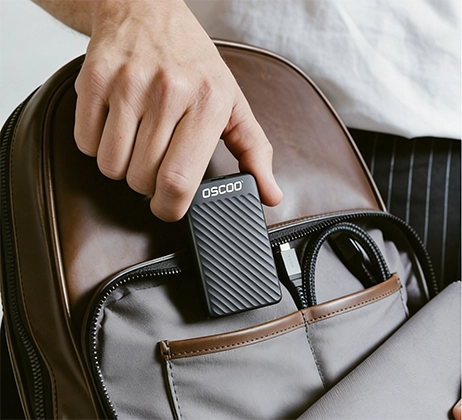
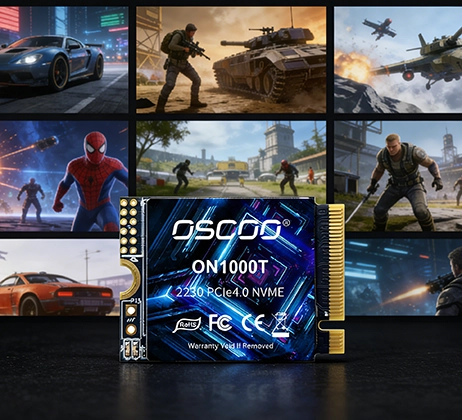
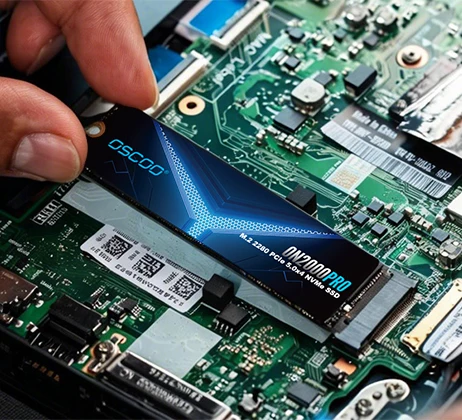
Yes, you can physically install a 2230 M.2 SSD into a 2280 slot. However, it is not a simple plug-and-play process—you need to address key compatibility issues, especially mounting, keying, and protocol support. Ignore these details, and you may face SSD detection failures or long-term instability. Below is a complete, easy-to-follow guide to help you do it safely.
What Are 2230 and 2280 M.2 SSDs?
Before diving into compatibility, it’s critical to understand the basic difference between these two M.2 SSD sizes. M.2 SSD dimensions are defined by width × length in millimeters, and both 2230 and 2280 share the same 22mm width—this is why they can physically fit into the same slot. The key difference lies in their length: a 2230 SSD is 30mm long, typically used in compact devices like ultrabooks, tablets, Steam Deck, or ROG Ally. A 2280 SSD is 80mm long, the standard size for desktops and most laptops. Another vital distinction is their mounting hole position: 2230 SSDs have a mounting hole 6mm from the connector end, while 2280 SSDs have one 75mm from the connector—this is the main reason direct installation without extra hardware is unstable.
Core Compatibility Check
Physical fit is only the first step; true compatibility depends on three other factors. The table below summarizes what you need to verify before installation.
| Compatibility Aspect | Status | Key Details |
|---|---|---|
| Physical Fit | ✅ Supported | Both share the same 22mm width and M.2 connector, so 2230 can plug into 2280 slots. |
| Keying Alignment | ⚠️ Must Match | Check the notch pattern (B-key, M-key, or B+M-key) on both the SSD and slot—mismatch means no connection. |
| Protocol Support | ⚠️ Must Match | Ensure the 2280 slot supports your 2230 SSD’s protocol (most 2230s use NVMe; some use SATA). |
| Mounting | ❌ Not Default | Different mounting hole positions mean you need extra hardware to secure the 2230 SSD. |

What Is Keying?
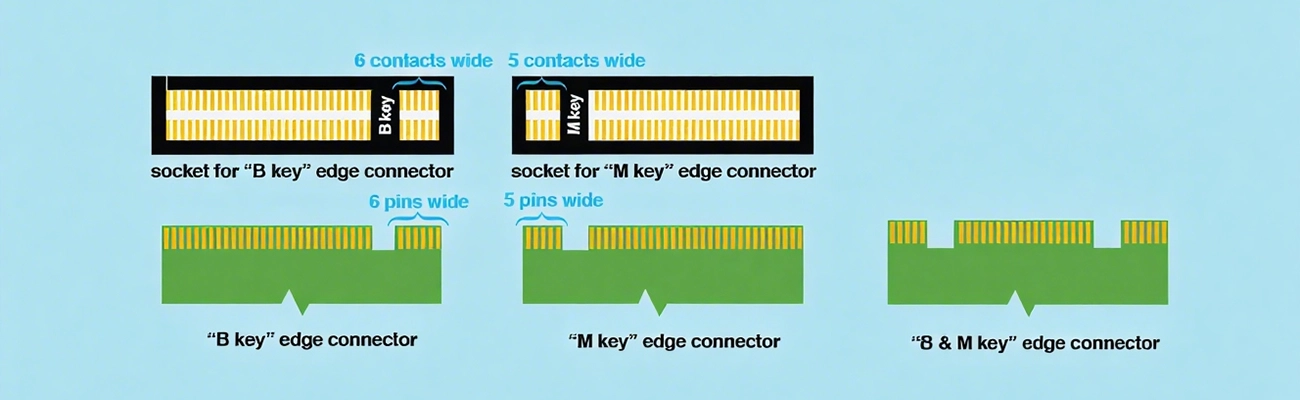
Keying refers to the small notch on the edge connector of the M.2 SSD and the corresponding notch in the slot. It ensures you use the right SSD for the slot: M-key is for NVMe PCIe SSDs (the most common type for 2230), B-key is for SATA or PCIe x2 SSDs, and B+M-key is dual-mode (works with both SATA and PCIe). Most 2280 slots support M-key or B+M-key, but it’s always best to check your motherboard or device manual to confirm.
Protocol Compatibility
NVMe and SATA are the two main protocols for M.2 SSDs. Most modern 2230 SSDs are NVMe (due to their small size), while 2280 slots can support either NVMe or SATA. If your 2280 slot is only for SATA, a 2230 NVMe SSD will not work—you’ll see no detection in BIOS or your operating system. You can check protocol support in your device’s manual or by accessing BIOS/UEFI settings.
Install a 2230 SSD in a 2280 Slot Correctly
Once you’ve confirmed keying and protocol compatibility, the next step is solving the mounting problem. Below is a step-by-step process.
Step 1: Confirm Compatibility Again
Double-check the keying on your 2230 SSD and 2280 slot—align the notches to ensure they fit. Then, verify the slot supports your SSD’s protocol (NVMe/SATA) by checking the motherboard manual or BIOS. This step avoids wasted time and potential damage to your components.
Step 2: Choose the Right Mounting Solution
- 2230-Specific Mounting Hole: The simplest solution. Some motherboards have multiple mounting holes (for different M.2 lengths), so a 2230 SSD can be fastened directly to the 2280 slot’s existing mounting point with a screw.
- M.2 Extension Bracket: Ideal if your motherboard doesn’t have a 2230 mounting hole. These brackets hold the 2230 SSD securely and align with the 2280 slot’s mounting point. They cost $5–$15 and are easy to install—just attach the SSD to the bracket, then fasten the bracket to the slot.
- 3D-Printed Bracket: A good option for DIY enthusiasts. If you have a 3D printer, you can print a custom bracket to fit your 2230 SSD and 2280 slot. This is free if you have the printer, but requires basic design skills.
- Temporary Tape (Not Recommended): Only use this in an emergency. Double-sided tape can hold the SSD temporarily, but it’s unstable—vibration or movement can disconnect the SSD, leading to data loss. Avoid this for long-term use.
Step 3: Step-by-Step Installation (With Bracket)
If you’re using an extension bracket, follow these steps for a secure install: First, attach the 2230 SSD to the bracket using the small screw provided with the bracket. Next, align the SSD’s edge connector with the 2280 slot’s notch—insert it at a 30° angle (like you would with a regular M.2 SSD). Gently press the SSD down until it lies flat, then fasten the bracket to the 2280 slot’s mounting point using the original screw from your motherboard. Finally, reassemble your device and check if the SSD is detected in BIOS/UEFI before booting into your operating system.
Common Issues & How to Fix Them
Even with proper preparation, you may encounter small issues. Below are the most common problems and simple fixes to resolve them, ensuring your SSD works reliably.
| Problem | Cause | Fix |
|---|---|---|
| SSD Not Detected | Poor connection, protocol mismatch, or SSD disabled in BIOS. | Reseat the SSD firmly, check BIOS settings to enable the M.2 slot, and verify protocol compatibility. |
| Aceleração térmica | No heatsink or insufficient airflow around the SSD. | Add a low-profile thermal pad or heatsink (2230 SSDs are small, so avoid large 2280 heatsinks) and ensure proper ventilation in your device. |
| Physical Instability | Loose mounting (e.g., using tape or a poorly fitted bracket). | Switch to a proper 2230 mounting screw or high-quality extension bracket. |
| Performance Limitations | The 2280 slot uses PCIe x2 instead of x4 (common in some laptops). | Check your motherboard specs—some slots only support PCIe x2, which will limit NVMe SSD speeds, but the SSD will still work. |
Important Considerations to Avoid Mistakes
To ensure a smooth, reliable installation and protect your components, keep these key points in mind:
- Warranty Concerns: Some manufacturers may void your device’s warranty if you use non-standard mounting solutions (like 3D-printed brackets or tape). Check your warranty terms before making modifications.
- Signal Integrity: If using an extension bracket, choose a high-quality one.
- Space Constraints: Ensure the shorter 2230 SSD doesn’t interfere with other components (e.g., GPU, cables, or cooling fans) in your device. Measure the space before installation.
- Heatsink Compatibility: Most 2280 heatsinks are too large for 2230 SSDs. If your SSD gets hot, use a low-profile heatsink designed for 2230 models to avoid overheating.