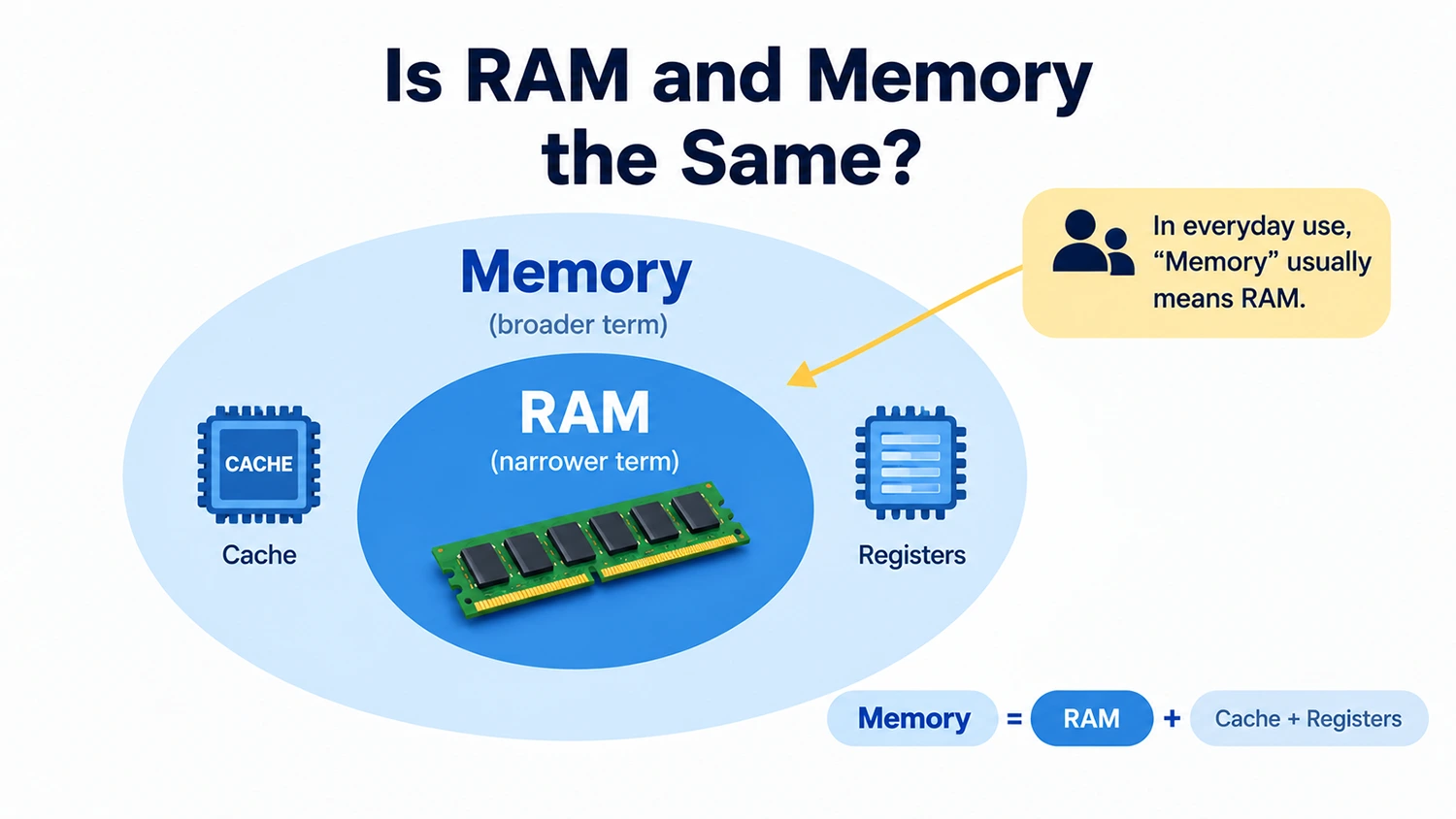
Strictly speaking, RAM and Memory are not the same concept. They have a broader-term and narrower-term relationship. RAM stands for Random Access Memory and is one of the main types of memory. In computer systems, however, Memory is a general term for storage resources and may also include other resources, such as cache and registers. In everyday conversation and consumer electronics, people usually use “Memory” to mean RAM by default. This usage has become a common industry convention.
Why Are RAM and Memory Often Used Interchangeably?
Firstly, the usual convention in the PC industry. In desktop and laptop specifications, as well as when discussing PC builds, “memory” usually refers to RAM modules. For example, when a manufacturer lists “16GB memory + 512GB SSD,” the first figure refers to RAM, while the second refers to storage. People in the industry generally understand this distinction without confusion. This labeling practice has been used for decades and has become an unwritten standard.
Secondly, the naming used in system interfaces. In the Performance tab of Windows Task Manager, RAM usage is labeled as “Memory.” The memory specification shown in About This Mac in macOS also refers to the physical RAM capacity. After seeing these interfaces over time, ordinary users naturally come to think of memory as the same thing as RAM.
Finally, everyday speech tends to be simpler. The full name RAM is relatively long, so saying “memory” is more convenient in daily conversation. Over time, this has become the common way to refer to it. It is similar to how people say “hard drive” to mean a computer’s main storage drive without worrying about whether it is a hard disk drive or a solid-state drive.
What Is RAM?
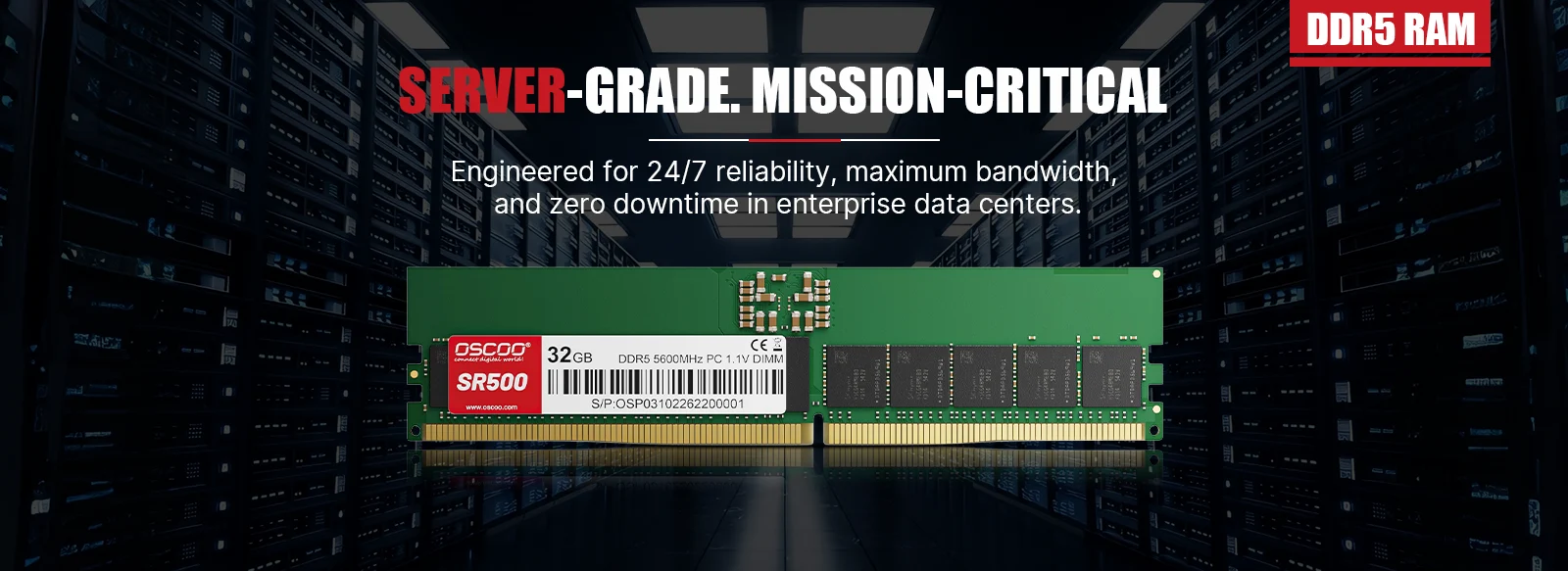
RAM stands for Memoria de acceso aleatorio. It acts as a temporary workspace for a computer and allows data to be read and written quickly. When a computer runs its operating system, opens software, or processes files, it places the data and programs currently needed in RAM so that the processor can access them quickly. For example, when you open a browser, office software, and a music player at the same time, the data these programs need while running will use some RAM. In general, the more RAM a computer has, the better it can run multiple programs at once without frequently freeing up or moving data that is currently needed.
One important feature of RAM is that it is volatile. The main memory used in ordinary computers usually cannot retain its data after the device loses power. RAM is therefore mainly used as temporary working memory rather than for long-term storage of photos, videos, or documents. There are two common types of RAM. Dynamic Random Access Memory, or DRAM, includes the DDR4 and DDR5 memory modules people commonly buy. It offers high capacity at a relatively low cost and is the main type of computer main memory. Static Random Access Memory, or SRAM, is faster but more expensive and is mainly used for cache inside the CPU.
What Is Memory?
In computer science and hardware, the term Memory has a broad meaning. It may refer to RAM, CPU cache, registers, or a specific type of storage resource. Therefore, Memory cannot be treated as exactly the same as RAM in every technical context. Put simply, RAM is a specific type of memory, while Memory is a term that can cover many different storage resources.
Based on their function and how the CPU accesses them, storage resources can be divided into three main categories.
- Cache is built into the CPU. It is extremely fast but has a small capacity, usually ranging from a few megabytes to over a hundred megabytes. It helps bridge the speed gap between the CPU and main memory, reducing the time the CPU has to wait.
- Main memory, also called primary memory, is high-speed memory that the CPU can access directly by address. It is essential for running programs, and the RAM we commonly refer to belongs to this category.
- Secondary storage, also called external storage, cannot be accessed directly by the CPU. Data must first be loaded into main memory before it can be used. Secondary storage is mainly used to keep data for the long term. Solid-state drives, hard disk drives, and USB flash drives all belong to this category.
As a result, the term memory can cover storage devices ranging from CPU cache to hard drives. RAM is just one specific type of memory at the main-memory level.
Key Differences at a Glance
| Comparación | RAM | Memory |
|---|---|---|
| Scope | A specific type of memory, and a subset of memory | A general term for storage hardware, including RAM, ROM, cache, SSDs, hard drives, and more |
| What happens when power is lost | Volatile. All data is lost when power is cut off | Includes both volatile and non-volatile types |
| Main purpose | Temporarily stores running programs and data to support real-time CPU processing | Covers all storage needs, including temporary processing, firmware storage, and long-term data retention |
| Read/write speed | Extremely fast. DDR5 speeds can reach tens of GB per second | Varies widely, from nanosecond-level cache speeds to millisecond-level hard drive speeds |
| Common forms | Desktop RAM modules, laptop RAM modules, and integrated memory chips in phones | RAM modules, motherboard BIOS chips, CPU cache, SSDs, hard drives, USB flash drives, and more |
| Typical capacity | 8GB to 64GB for personal computers, and up to several TB for servers | From a few MB to several TB per device |
RAM and Storage
In addition to RAM and Memory, many people are also unsure about the difference between RAM and Storage. RAM usually refers to working memory, while Storage means space used to keep data for the long term, such as an SSD (solid-state drive) or HDD (hard disk drive). Although both are measured in GB or TB, they serve different purposes. RAM supports tasks that are currently running, while an SSD keeps data that needs to remain available after the computer is shut down. Even a large SSD cannot fully replace RAM. Likewise, even a large amount of RAM cannot replace long-term storage.
| Comparación | RAM | Almacenamiento |
|---|---|---|
| Main purpose | Temporarily stores running programs and data | Stores files, software, and the operating system for the long term |
| Does data remain after power is lost? | Usually not | Normally saved data is retained |
| Common capacities | 8GB, 16GB, 32GB | 256GB, 512GB, 1TB, 2TB |
| Main impact | Multitasking and memory-intensive workloads | File storage capacity and data read speed |
| Common hardware | DIMM, SO-DIMM, and soldered RAM | SSD, HDD |
| Can they replace each other? | Cannot fully replace Storage | Cannot fully replace RAM |
Are RAM and memory the same thing? The answer depends on the context. In technical terms, Memory is a general term for storage resources, and RAM is just one type of Memory, so the two have a broader-term and narrower-term relationship. In everyday use and consumer electronics, “memory” usually refers to RAM by default. This usage is widely accepted and is not considered incorrect.