Les disques SSD portables valent la peine pour la plupart des personnes soucieuses de vitesse, de fiabilité et de commodité. Ils sont nettement plus rapides que les disques durs externes traditionnels, plus résistants pour un transport quotidien et mieux adaptés aux flux de travail modernes tels que les transferts de fichiers volumineux, le travail créatif et l'utilisation multi-appareils. Toutefois, ils ne constituent pas le meilleur choix si votre priorité est le coût le plus bas par téraoctet pour le stockage à long terme.
Principaux avantages des disques SSD portables
Les arguments en faveur de disques SSD portables (PSSD) repose sur trois avantages fondamentaux qui répondent aux besoins des utilisateurs modernes : vitesse, durabilité et portabilité. Contrairement à disques durs traditionnels Au lieu des plateaux qui tournent et des têtes de lecture/écriture qui se déplacent, les disques SSD utilisent la mémoire flash, éliminant les limitations mécaniques et débloquant des performances qui transforment la façon dont nous travaillons et stockons les données.
Des vitesses fulgurantes sont les avantages les plus importants. Les PSSD SATA d'entrée de gamme atteignent des vitesses de lecture/écriture séquentielles de 500MB/s, tandis que les modèles NVMe/USB4 haut de gamme montent en flèche jusqu'à 3800MB/s ou plus, soit jusqu'à 30 fois plus vite que les disques durs externes (qui plafonnent à 120MB/s). Dans le monde réel, cela signifie transférer une vidéo 4K de 10 Go en 20 secondes au lieu de plus de 10 minutes, ou ouvrir instantanément des fichiers photo RAW volumineux ou des projets de conception. Le maintien de la vitesse est également essentiel : les professionnels tels que les monteurs vidéo ont besoin de performances constantes même lorsque le disque est presque plein, une capacité que les disques durs ont du mal à atteindre.
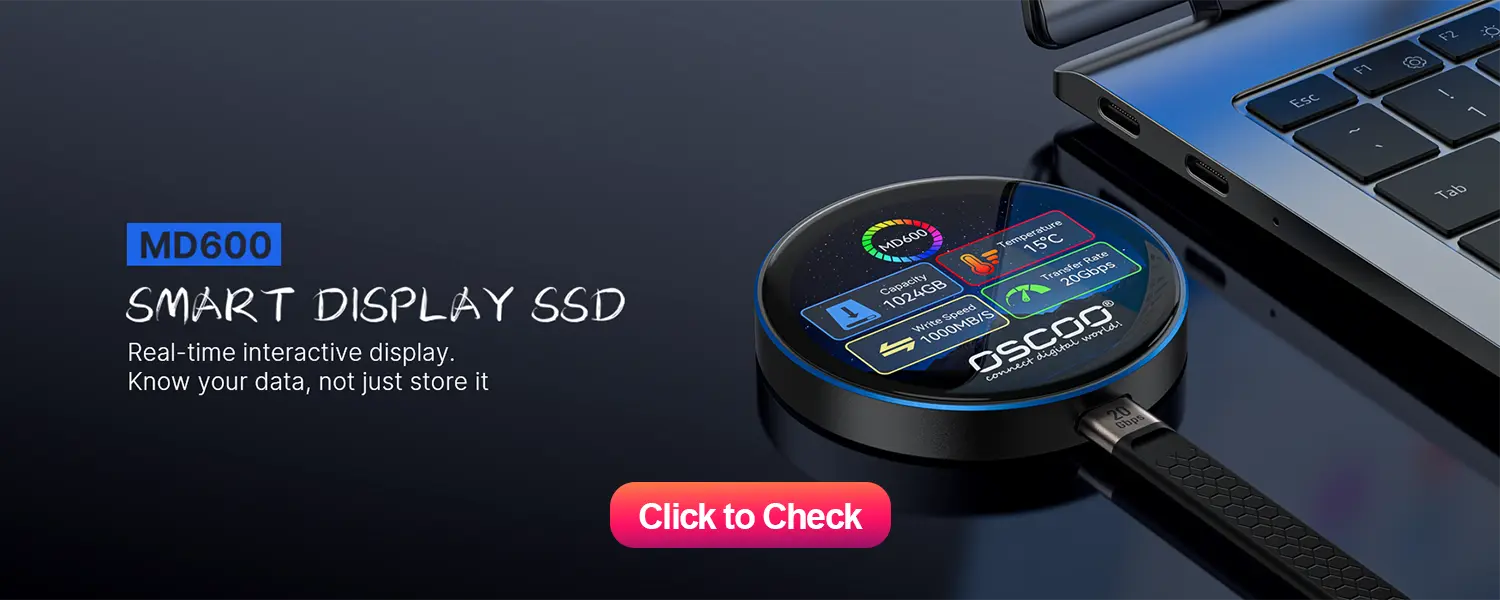
Durabilité supérieure protège vos données lorsque vous êtes en déplacement. Sans pièces mobiles, les PSSD sont insensibles aux dommages causés par les chutes (la plupart des modèles haut de gamme résistent à des chutes de 1 à 2 mètres), les chocs et les vibrations, des risques qui sont souvent à l'origine de défaillances catastrophiques pour les disques durs. De nombreux modèles offrent également une résistance à l'eau et à la poussière IP65/IP68, ce qui les rend idéaux pour les voyages, le travail en extérieur ou les trajets quotidiens. En outre, les disques SSD ont un temps moyen entre les défaillances (MTBF) inférieur à celui des disques durs, ce qui se traduit par une utilisation à long terme plus fiable.
Conception ultra-portable s'adapte aux modes de vie modernes. La plupart des PSSD ont la taille d'une carte de visite ou plus petite, et ne pèsent que 30 à 100 grammes, soit moins d'un tiers du poids d'un disque dur externe de 2,5 pouces (200 à 300 grammes). Ils ne nécessitent pas d'adaptateurs d'alimentation encombrants et s'alimentent directement à partir d'un port USB-C ou USB-A, de sorte que vous pouvez en glisser un dans votre poche ou votre sac d'ordinateur portable sans ajouter d'encombrement supplémentaire.
Outre ces avantages fondamentaux, les PSSD fonctionnent en silence (pas de plateaux en rotation, donc pas de bruit) et consomment moins d'énergie, ce qui prolonge l'autonomie de la batterie de l'ordinateur portable pendant les transferts de fichiers, un autre avantage pour les utilisateurs nomades.
Quand un SSD portable n'en vaut peut-être pas la peine
Si les PSSD excellent dans des domaines clés, ils ne sont pas parfaits. Deux inconvénients majeurs doivent être pris en compte, en particulier pour les utilisateurs soucieux de leur budget ou les utilisateurs spécialisés.
Coût plus élevé par gigaoctet est le principal obstacle. En 2026, les disques SSD portables coûteront environ $60-$80 par téraoctet (TB), contre $25-$35 par TB pour les disques durs externes. Cet écart de prix signifie que les disques durs restent 2 à 3 fois moins chers pour un stockage équivalent, ce qui en fait un meilleur choix si la vitesse et la portabilité ne sont pas des priorités. Les modèles NVMe haut de gamme sont également plus chers que les PSSD basés sur SATA, même à capacité égale.
Durée de vie limitée et défis en matière de récupération des données sont secondaires mais importantes. Les disques SSD ont un nombre total d'octets écrits (TBW) - par exemple, un modèle de 1 To peut avoir une cote de 300 To - après quoi les performances peuvent se dégrader. Les disques SSD modernes utilisent une technologie de nivellement de l'usure pour répartir uniformément les écritures, ce qui prolonge leur durée de vie de 5 à 10 ans pour une utilisation normale, mais les utilisateurs intensifs (comme les monteurs vidéo) peuvent les user plus rapidement. En outre, la récupération des données d'un disque SSD défaillant est beaucoup plus difficile et coûteuse que celle d'un disque dur, car il n'y a pas de pièces mécaniques à réparer ; le cryptage matériel (courant dans les modèles haut de gamme) peut bloquer davantage la récupération en cas de perte des mots de passe.
SSD portable ou disque dur externe
| Fonctionnalité | SSD portable | Disque dur externe |
|---|---|---|
| Vitesse séquentielle | 500-3,800MB/s | 100-120MB/s |
| Durabilité | Excellent (pas de pièces mobiles ; résistance aux chutes et à l'eau en option) | Médiocre (composants mécaniques fragiles) |
| Taille/Poids | Ultra-compact (30-100g) | Plus volumineux (200-300g) |
| Coût par tuberculose (2026) | $60-$80 | $25-$35 |
| Capacité maximale | Jusqu'à 8 To | Jusqu'à 6 To |
| Bruit | Silencieux | Filage/clic audible |
| Consommation électrique | Faible (alimentation par bus) | Plus élevé |
| Récupération de données facile | Difficile/coûteux | Plus facile/meilleur marché |
Qui devrait acheter un disque SSD portable ?
Les PSSD sont un bon choix pour des groupes d'utilisateurs spécifiques dont les atouts permettent de résoudre directement des problèmes. Si vous appartenez à l'une de ces catégories, un disque SSD portable vaut absolument la peine d'être investi.
- Créateurs de contenu et professionnels des médias: Les monteurs vidéo travaillant avec des séquences 4K/8K ont besoin de vitesses élevées soutenues pour une lecture et un rendu fluides - les disques durs entraînent des décalages et des retards. Les photographes bénéficient de transferts rapides de fichiers RAW volumineux (100MB+) et peuvent éditer directement à partir du disque sans ralentissement. Les graphistes et les animateurs comptent également sur l'accès instantané aux fichiers de projet volumineux pour rester productifs.
- Joueurs: Les consoles modernes (PS5, Xbox Series X/S) ont besoin de disques SSD pour offrir les performances annoncées ; les disques durs externes ralentiront les temps de chargement et risquent de ne pas prendre en charge les jeux de nouvelle génération. Les joueurs PC peuvent exécuter des jeux directement à partir d'un disque SSD portable avec une perte de performance minimale, ce qui en fait un excellent moyen d'augmenter la capacité de stockage sans mettre à niveau les disques internes.
- Travailleurs mobiles et utilisateurs professionnels: Les voyageurs fréquents ont besoin d'un espace de stockage durable, capable de résister à la sécurité des aéroports, aux trajets quotidiens et au travail sur site : la résistance aux chutes et la taille compacte des SSD en font la solution idéale. Les utilisateurs professionnels bénéficient également d'un cryptage matériel (AES-256) pour protéger les données sensibles et de vitesses de transfert rapides pour partager des fichiers de projets volumineux avec leurs collègues.
- Utilisateurs d'ordinateurs portables avec un espace de stockage interne limité: De nombreux ordinateurs portables modernes (en particulier les ultrabooks) disposent d'un stockage interne non évolutif. Un disque SSD portable vous permet d'augmenter la capacité sans ouvrir l'appareil (et sans annuler les garanties) ou de transporter un système d'exploitation portable (Windows/macOS) pour une informatique sécurisée et mobile.
Qui pourrait préférer un disque dur externe ?
Les PSSD ne conviennent pas à tout le monde. Si vos besoins correspondent à ces scénarios, un disque dur externe est un choix plus pratique.
- Utilisateurs axés sur le budget: Si vous stockez de grandes bibliothèques de films, de la musique ou des sauvegardes personnelles où la vitesse n'a pas d'importance - vous avez juste besoin d'un stockage bon marché - le coût inférieur par TB des disques durs est imbattable.
- Archivage à long terme: Pour les données auxquelles vous accédez rarement (par exemple, de vieilles photos, des fichiers de travail archivés), les disques durs sont plus rentables. La conservation plus longue des données (lorsqu'elles sont stockées correctement) et la facilité de récupération les rendent également plus adaptés au stockage "prêt à l'emploi et à l'oubli".
- Les utilisateurs donnent la priorité à la récupération des données: Si vous craignez une perte accidentelle de données et que vous souhaitez avoir les meilleures chances de récupérer vos fichiers, les disques durs sont plus faciles et moins coûteux à réparer que les disques SSD. C'est particulièrement important pour les utilisateurs dont les données sont irremplaçables et qui n'ont pas de système de sauvegarde.
Comment choisir le bon SSD portable
Si vous avez décidé qu'un SSD portable en valait la peine, tenez compte de ces facteurs clés pour choisir le modèle le mieux adapté à vos besoins, et évitez de payer trop cher pour des fonctions que vous n'utiliserez pas.
- Interface et vitesse: Adaptez l'interface à vos appareils. L'USB 3.2 Gen 1 (5Gbps, 500MB/s) est basique et abordable, idéal pour les utilisateurs occasionnels. USB 3.2 Gen 2 (10Gbps, 1,000MB/s) est la norme la plus répandue, offrant un excellent rapport qualité-prix pour la plupart des utilisateurs. USB4/Thunderbolt 4 (40Gbps, 3,800MB/s+) est un produit haut de gamme, conçu pour les professionnels (monteurs vidéo, joueurs) qui ont besoin d'une vitesse maximale.
- Capacité et coût: 1 To est l'entrée de gamme (bon pour le démarrage du système d'exploitation ou les petits projets, $80-$150). 2 To est le point idéal pour la plupart des utilisateurs ($150-$250), avec un équilibre entre la capacité et le prix. Les disques de 4 To sont de qualité professionnelle ($300-$500) pour les charges de travail importantes. Évitez les modèles de 8 To, sauf si vous avez vraiment besoin d'une capacité maximale : ils sont coûteux et surdimensionnés pour la plupart des utilisateurs.
- Caractéristiques de durabilité: Si vous voyagez fréquemment ou si vous utilisez le lecteur à l'extérieur, recherchez les indices IP (IP65/IP68 pour la résistance à l'eau et à la poussière) et la protection contre les chutes.
- Marque et garantie: S'en tenir à des marques de confiance (OSCOOSamsung, Crucial, SanDisk, Seagate). Une garantie de 3 à 5 ans témoigne de la confiance du fabricant ; évitez les marques sans nom dont la garantie est courte ou inexistante. Vérifiez également l'indice TBW (plus élevé = durée de vie plus longue ; 300TBW pour les modèles de 1TB est la norme).
Les disques SSD portables offrent une valeur tangible à tous ceux qui accordent de l'importance à la vitesse, à la durabilité ou à la portabilité - des besoins qui définissent l'informatique moderne. Le supplément de prix est justifié par le gain de temps, la protection des données et la commodité qu'ils offrent, en particulier pour les professionnels, les joueurs et les utilisateurs nomades. Pour les utilisateurs à petit budget ou ceux qui archivent des données rarement consultées, une approche hybride est préférable : utilisez un disque SSD portable pour les projets actifs et un disque dur externe pour les sauvegardes et les archives. En fin de compte, la question n'est pas de savoir si les disques SSD portables valent la peine, mais plutôt d'apprécier les avantages qu'ils procurent.