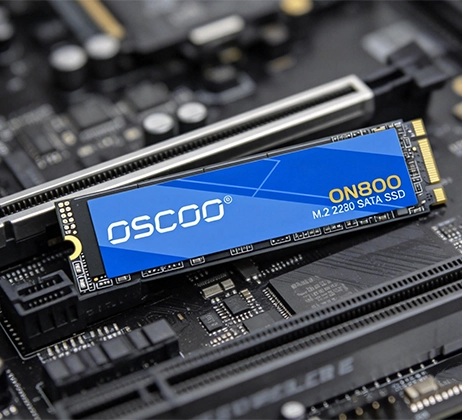
Sí, la combinación de usar un SSD para cargar y un HDD para almacenar sigue siendo muy viable en 2026. Esta configuración híbrida equilibra la velocidad, la capacidad y el coste mejor que cualquier solución de almacenamiento único para la mayoría de los usuarios con conocimientos básicos de electrónica. Gracias a un aumento de los precios de las SSD impulsado por la demanda de IA en 2025-2026, las HDD siguen ofreciendo un valor imbatible para el almacenamiento masivo, mientras que las SSD ofrecen la capacidad de respuesta necesaria para las tareas diarias. Para cualquiera que priorice la practicidad sobre el lujo de las SSD, esta combinación no solo es viable, sino óptima.
Por qué este combo sigue funcionando en 2026
La longevidad del SSD+HDD combo se reduce a un principio clave: especialización de tareas. Los usuarios modernos necesitan dos cosas de su almacenamiento: velocidad para las tareas activas (como arrancar el sistema operativo, iniciar aplicaciones o cargar juegos) y asequibilidad para los datos inactivos (como archivos, copias de seguridad o bibliotecas multimedia). Ningún dispositivo de almacenamiento destaca en ambas cosas, pero juntos, los SSD y los HDD cubren perfectamente sus respectivas carencias.
Las SSD están diseñadas para ser rápidas, sin partes móviles que ralenticen el acceso a los datos. Los discos duros, por el contrario, utilizan platos giratorios y cabezales de lectura/escritura, lo que los hace más lentos pero mucho más baratos por terabyte. En 2026, esta dinámica no ha cambiado; de hecho, se ha acentuado debido a la demanda de chips NAND (el componente principal de las SSD) impulsada por la inteligencia artificial, que ha provocado un aumento significativo de los precios de las SSD. Esta diferencia garantiza que los discos duros sigan siendo una opción rentable para el almacenamiento masivo, mientras que las unidades SSD se encargan de las tareas en las que la velocidad es más importante.

2026 Comparación de precios: SSD frente a HDD
Una de las principales razones por las que esta combinación sigue siendo viable es la diferencia de precio entre las SSD y las HDD. A continuación se muestra un desglose de los precios de almacenamiento de consumo en 2026, basado en los datos de mercado del primer trimestre, para mostrar cuánto valor siguen ofreciendo los discos duros.
| Capacidad | SSD | HDD | Relación de precios |
|---|---|---|---|
| 2TB | $280-$320 | $60-$80 | 4-5:1 |
| 4TB | $550-$650 | $100-$130 | 5-6:1 |
| 8TB | $1,100–$1,400 | $180-$220 | 6-7:1 |
| 16 TB+ | $2,500+ | $300-$400 | 8-16:1 |
Diferencias de rendimiento que importan
¿Quién se beneficiará más de esta combinación en 2026?
- Jugadores: Combina un SSD NVMe de 1 TB (para tu sistema operativo y 5-10 juegos activos) con un disco duro de 4-8 TB (para toda tu biblioteca de juegos). Así mantendrás la velocidad de tus juegos actuales y podrás archivar más de 50 títulos de forma asequible, sin necesidad de borrar juegos antiguos para dejar espacio a los nuevos.
- Creadores de contenidos: Un SSD NVMe de 2 TB es ideal para proyectos activos de vídeo/fotografía (lo que garantiza una edición fluida), mientras que un HDD de 8-16 TB almacena secuencias sin procesar, archivos y copias de seguridad. Esta configuración ahorra dinero sin sacrificar el rendimiento de las tareas más importantes.
- Usuarios particulares: Una unidad SSD de 500 GB a 1 TB gestiona el sistema operativo y las aplicaciones diarias (manteniendo la capacidad de respuesta del ordenador), mientras que un disco duro de 4 TB almacena películas, música, fotos familiares y copias de seguridad. Es una forma económica de obtener lo mejor de ambos mundos.
- Acaparadores de datos: Una unidad SSD de 1 TB para el sistema operativo garantiza que el sistema funcione sin problemas, mientras que una matriz de discos duros de más de 16 TB proporciona almacenamiento masivo para colecciones, archivos o servidores multimedia. Los discos duros siguen siendo la forma más rentable de almacenar grandes cantidades de datos a largo plazo.
2026 Consejos para configurar el combo SSD+HDD
- Elija el hardware adecuado: Para los SSD, da prioridad a los modelos NVMe PCIe 4.0. Apunta a 1 TB como mínimo o a 2 TB si eres jugador o creador. Para los discos duros, elige 7200 RPM para un mejor rendimiento o 5400 RPM para un almacenamiento más silencioso y de menor consumo.
- Optimice su software: Instale el sistema operativo en el SSD: es la mejor forma de aumentar la capacidad de respuesta. Establece la ubicación de descarga predeterminada en el disco duro para los archivos grandes (como juegos, películas o material sin editar). Utiliza enlaces simbólicos para trasladar las carpetas de aplicaciones grandes al disco duro y mantener los accesos directos en el SSD, para que las aplicaciones se ejecuten con rapidez.
- Mantener el rendimiento: Activar TRIM en su SSD para mantenerlo rápido con el tiempo-TRIM limpia los bloques de datos no utilizados, evitando ralentizaciones. Nunca desfragmente una unidad SSD. En el caso de los discos duros, la desfragmentación ocasional puede ayudar a mantener la velocidad, pero los sistemas operativos modernos suelen encargarse de ello automáticamente.
Cuándo saltarse el Combo en 2026
- Usuarios de portátiles con limitaciones de espacio: Muchos portátiles modernos solo tienen una ranura M.2 SSD y no hay espacio para un HDD. En este caso, un SSD más grande (2-4TB) es mejor que intentar forzar un combo que no cabe.
- Viajeros frecuentes: Los discos duros son frágiles: pueden fallar si se caen o se sacuden demasiado. Si viajas a menudo con tu portátil, es más seguro utilizar discos SSD.
- Extremos presupuestarios: Si tiene un presupuesto muy ajustado, una unidad SSD de 1 TB puede ser suficiente. Si tienes un presupuesto ilimitado, una configuración totalmente SSD es factible, pero rara vez rentable.
- Estaciones de trabajo de alto rendimiento: Para la edición de vídeo 8K, el renderizado 3D en tiempo real o las cargas de trabajo de servidor, puede ser necesaria una configuración RAID de SSD completamente NVMe: estas tareas requieren más velocidad de la que puede proporcionar un disco duro, incluso para almacenamiento.