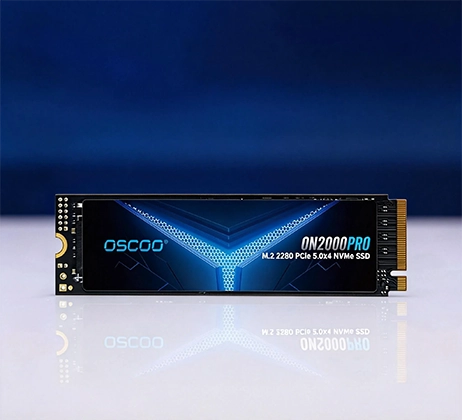
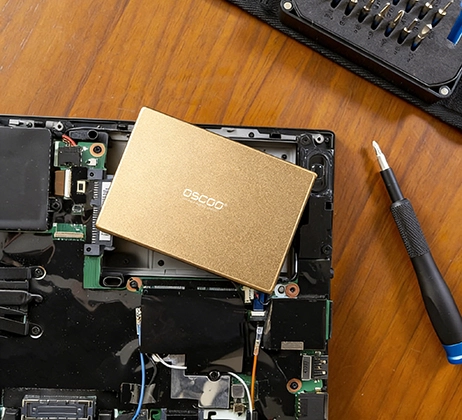
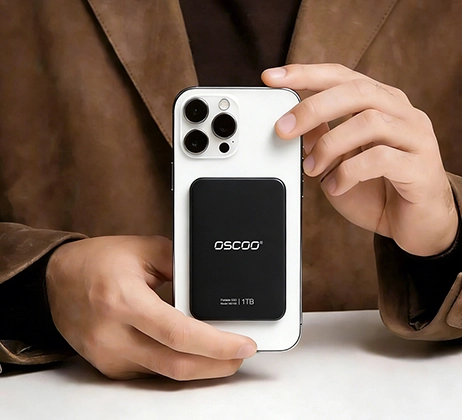
Las SSD SATA merecen la pena en 2026, especialmente para actualizar sistemas antiguos, crear PC económicos o utilizarlas como almacenamiento secundario. Ofrecen una excelente relación calidad-precio, una amplia compatibilidad y un rendimiento fiable para las tareas cotidianas, incluso cuando las SSD NVMe dominen las construcciones de gama alta. Unidades SSD SATA están lejos de ser obsoletas; simplemente ocupan un nicho diferente y práctico para la mayoría de los usuarios.
SATA frente a NVMe: comparación de núcleos 2026
| Característica | SSD SATA III | SSD NVMe (PCIe 3.0/4.0/5.0) | Para llevar a la práctica |
|---|---|---|---|
| Velocidad secuencial máxima | 500-550 MB/s | 2.000-7.000+ MB/s | NVMe es mucho más rápido para transferencias de archivos grandes, pero SATA es suficiente para la mayoría del uso diario. |
| 4K aleatorio IOPS | 80,000-100,000 | 200,000-1,000,000+ | NVMe maneja mejor la multitarea y las cargas de trabajo complejas, pero SATA parece ágil para las tareas básicas. |
| Precio por GB | $0.07-$0.10 | $0.09-$0.15 | SATA es 20-30% más barato, por lo que es mejor para los usuarios preocupados por los costes. |
| Compatibilidad | Universal (todas las placas base desde 2009) | Requiere ranura M.2 + compatibilidad con NVMe | SATA funciona con casi todos los sistemas antiguos o nuevos; NVMe excluye el hardware anterior a 2015. |
| Energía y calor | 2-3W | 3-5W (modelos de alto rendimiento) | SATA funciona más frío y consume menos energía, ideal para portátiles y sistemas 24/7. |
Cuándo las SSD SATA son la mejor opción
Las SSD SATA destacan en situaciones específicas en las que sus puntos fuertes (compatibilidad, valor y fiabilidad) superan la diferencia de velocidad con NVMe. Para muchos usuarios, estos escenarios son exactamente lo que necesitan.
La actualización de sistemas antiguos es el caso de uso más común. Si tiene un ordenador portátil o de sobremesa de 2015 o anteriorSin embargo, es probable que carezca de la ranura M.2 o de la compatibilidad NVMe que requieren las unidades más recientes. Un SSD SATA es la única forma práctica de actualizar un disco duro lento, y la mejora es espectacular: los tiempos de arranque se reducen entre 70 y 80%, las aplicaciones se inician entre 2 y 5 veces más rápido y la capacidad de respuesta general del sistema parece la de un dispositivo nuevo, todo ello sin necesidad de actualizaciones de BIOS ni configuraciones complejas.

Las unidades SSD SATA también resultan muy ventajosas para las construcciones con un presupuesto ajustado. Si estás montando un PC para trabajos básicos de oficina, navegación web o juegos ocasionales (menos de $800), un SSD SATA para almacenamiento secundario (juegos, bibliotecas multimedia) te permite ahorrar dinero para asignarlo a componentes más impactantes como la CPU o la RAM. Incluso como unidad principal para estas tareas, SATA es más que suficiente, apenas notarás la diferencia con NVMe en el uso diario.
Las unidades SSD SATA también son ideales para casos específicos en los que la velocidad no es la prioridad.. Esto incluye sistemas de vigilancia, servidores de transmisión multimedia y unidades de copia de seguridad, todos ellos escenarios en los que la fiabilidad ininterrumpida y el funcionamiento en frío son más importantes que la velocidad bruta. La amplia compatibilidad de SATA también significa que puede mover la unidad entre diferentes sistemas con facilidad, una característica útil para copias de seguridad o almacenamiento portátil.
Cuando las SSD NVMe son la mejor opción
Aunque las SSD SATA son valiosas, NVMe es la mejor opción en situaciones en las que la velocidad y la garantía de futuro son fundamentales. Comprender esta distinción le ayudará a tomar una decisión equilibrada.
Las nuevas versiones (2017 o posteriores) deberían usar casi siempre un SSD NVMe como unidad principal. Todas las placas base modernas incluyen ranuras M.2 compatibles con NVMe, y las velocidades más rápidas de NVMe preparan tu sistema para el futuro a medida que el software y los juegos se vuelven más exigentes. Esto es especialmente cierto para los creadores de contenidos -editores de vídeo, artistas 3D y fotógrafos- que trabajan con archivos de gran tamaño (vídeo 4K, fotos en bruto) que se benefician de las velocidades de transferencia más rápidas de NVMe.
Los juegos de alto rendimiento y la multitarea también favorecen a NVMe. Juegos de mundo abierto como Cyberpunk 2077 o El legado de Hogwarts cargan más rápido en NVMe, con menos aparición de texturas. Del mismo modo, la ejecución de varias máquinas virtuales, la edición de grandes bases de datos o el uso de software profesional (como Adobe Creative Cloud) ofrecerán una mayor capacidad de respuesta con NVMe, gracias a su mayor índice de IOPS (operaciones de entrada/salida por segundo).
Rendimiento en el mundo real: ¿Notas la diferencia?
Uno de los puntos más importantes que hay que entender es que para 90% de tareas cotidianasla diferencia de velocidad entre SATA y NVMe es apenas perceptible. Navegar por la web, consultar el correo electrónico, editar documentos en Microsoft Office, transmitir vídeo 4K e incluso jugar ocasionalmente: todas estas tareas funcionan perfectamente en una SSD SATA. La diferencia de velocidad solo se hace evidente en situaciones específicas de alta demanda.
Por ejemplo, la transferencia de un archivo de vídeo de 10 GB tardará entre 30 y 60 segundos en una SSD SATA, frente a los 10-20 segundos de una unidad NVMe rápida. Cargar un juego masivo de mundo abierto puede llevar 30 segundos en SATA frente a 10-15 segundos en NVMe. Estas diferencias son importantes si realizas estas tareas con frecuencia, pero para la mayoría de los usuarios son, en el peor de los casos, inconvenientes menores.
Precio frente a valor: La ventaja secreta de SATA
En 2026, las unidades SSD SATA seguirán ofreciendo un valor superior en los segmentos de capacidad clave. La siguiente tabla muestra el rango de precios medio para las capacidades más comunes, lo que pone de relieve lo mucho que se puede ahorrar con SATA, ahorros que se acumulan, especialmente en las unidades más grandes.
| Capacidad | Precio medio de las SSD SATA | Precio medio de las SSD NVMe | Ahorro con SATA |
|---|---|---|---|
| 1 TB | $70-$100 | $90-$150 | $20-$50 |
| 2TB | $120-$180 | $160-$250 | $40-$70 |
| 4TB | $220-$300 | $300-$450 | $80-$150 |
Estos ahorros son significativos, especialmente para el almacenamiento secundario donde la velocidad no es crítica. Por ejemplo, una SSD SATA de 4 TB para tu biblioteca de juegos cuesta $80-$150 menos que una unidad NVMe equivalente, dinero que podrías utilizar para comprar más juegos, actualizar tu GPU o invertir en otros componentes.
Longevidad y fiabilidad: No hay un ganador claro
Un error común es creer que las SSD NVMe son más fiables que las SSD SATA, pero no es así. Ambas utilizan memoria flash NAND (normalmente TLC o QLC) con índices de resistencia similares, medidos en TBW (Bytes totales escritos). La mayoría de las unidades SSD SATA y NVMe de calidad tienen índices TBW de entre 150 y 600, lo que significa que pueden manejar cientos de terabytes de datos escritos antes de mostrar signos de desgaste, más que suficiente para el usuario medio (que escribe entre 10 y 50 TB al año).
De hecho, las unidades SSD SATA pueden tener una ligera ventaja en longevidad para algunos casos de uso, gracias a su menor consumo de energía y su funcionamiento más frío. El calor es uno de los mayores enemigos de Flash NANDAsí, la menor emisión de calor de SATA puede minimizar el desgaste con el paso del tiempo, especialmente en portátiles o PC de formato pequeño con un flujo de aire limitado.
Reflexiones finales
Las SSD SATA no están obsoletas: son una opción de almacenamiento práctica y rentable que se adapta a las necesidades de millones de usuarios en 2026. Son la mejor opción para actualizar sistemas antiguos, crear PC económicos o utilizar como almacenamiento secundario, ya que ofrecen un rendimiento fiable y una amplia compatibilidad a un coste inferior que NVMe. Las SSD NVMe son superiores para las nuevas construcciones de alto rendimiento, la creación de contenidos y la multitarea pesada, pero no son necesarias para todo el mundo. La clave está en adaptar la elección de almacenamiento a sus necesidades: si necesita velocidad y garantía de futuro, opte por NVMe; si necesita valor, compatibilidad o fiabilidad para las tareas cotidianas, SATA sigue siendo una opción excelente.
Al fin y al cabo, la pregunta no es "¿merecen la pena las SSD SATA?", sino "¿qué solución de almacenamiento se ajusta a mis necesidades y presupuesto?". Para la mayoría de los usuarios, la respuesta incluirá al menos una SSD SATA en su configuración, lo que demuestra que, a veces, lo suficientemente bueno es más que suficiente.